
About Philips
- Official website
- www.philips.ca
- Support
- Manufacturer support page
- Support phone
- 1-800-567-1080
- Product lines
- Electric Shavers, Electric Toothbrushes, Coffee machines, Monitors, Lighting
Sources: Philips Momentum 279M1 Monitor User Manual · Philips OLED907 Series TV User Manual · official site · official site · official site. Checked 2026-10-13. Contact details change - confirm them on the manufacturer's site.
Key facts
- Manuals
- 6,916
- Models
- 1,000+
- Categories
- 30+
- Languages
- ZH · EN · PT · ZH-TW
- Last added
- 2026-10-13
Philips models by category
Featured Philips manuals
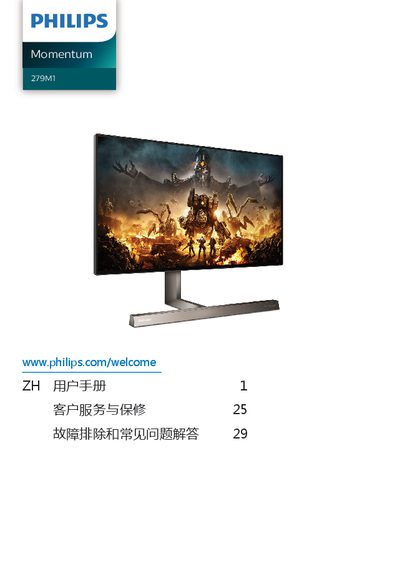
Philips Momentum 279M1 Monitor User Manual
The Philips Momentum 279M1 is a display device designed for computer use. This user manual covers essential safety information, setup procedures including base installation and cable connections, and various operational features such as MultiClient KVM and MultiView integration.
The guide also details image optimization tools like SmartImage, SmartContrast, HDR, and Adaptive Sync, along with the Ambiglow feature. It includes technical specifications, power management settings, customer service information, and a troubleshooting section for common issues. This manual is written in Chinese.
Covers: Important Safety Information · Setting Up the Monitor · Image Optimization · Ambiglow Feature · Power Output and Smart Power · Technical Specifications

Philips OLED907 Series TV User Manual
The document serves as a comprehensive user guide for the Philips OLED907 Series television. It details essential operational procedures including how to register the product, set up the home screen, connect various external devices like game consoles and smartphones, and configure network settings for Android TV functionality.
A significant portion of the manual is dedicated to specific care instructions required for OLED technology. It explains necessary display maintenance routines such as general and deep refresh cycles to prevent image retention, along with guidelines on avoiding static images and managing brightness settings to ensure optimal screen longevity. This manual is written in Chinese.
Covers: OLED Screen Care · Home Screen · Installation · Remote Control · Channels · Connecting Devices
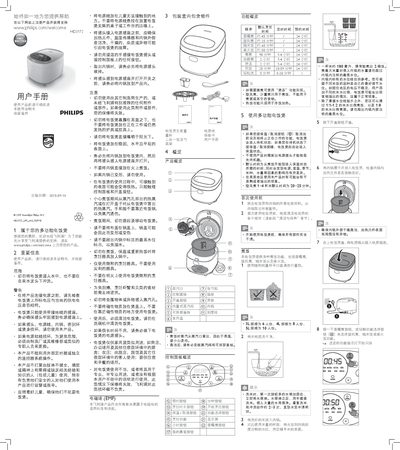
Philips HD3172 Multi-Function Rice Cooker User Manual
The Philips HD3172 is a multi-function rice cooker designed for home use. The document outlines essential safety precautions, such as ensuring proper grounding and avoiding immersion in water, before operation begins.
Key features include multiple cooking programs like 'Fragrant Rice', 'Tornado Cook', 'Brown Rice', and 'Stew Soup'. The manual details the setup process, including cleaning components before first use, measuring rice and water ratios, and operating the control panel for various functions. This manual is written in Chinese.
Covers: Important Information · Contents of Package · Overview · Cooking Functions · Using the Rice Cooker · Cleaning and Care

Philips SHB9150 Bluetooth Stereo Headset User Manual
The Philips SHB9150 is a wireless on-ear Bluetooth stereo headset designed for hands-free calling and music playback. It features a rechargeable lithium-polymer battery with up to 9 hours of listening time and supports both manual and NFC pairing methods with compatible mobile devices.
The guide covers essential safety information, initial setup steps such as charging the device for at least 5 hours before first use, and detailed instructions on operating controls like volume adjustment, track skipping, and call management. It also includes technical specifications and disposal guidelines. This manual is written in Chinese.
Covers: Important Safety Instructions · Hearing Safety · Product Overview · Charging the Headset · Pairing with Mobile Phone · Using the Headset
Latest Philips manuals
Philips Momentum 279M1 Monitor User Manual
User Manual 35 pages · 5.4 MB · ZHThis manual provides installation, operation, image optimization settings, and troubleshooting instructions for the Philips Momentum 279M1 monitor.
Philips OLED907 Series TV User Manual
User Manual 96 pages · 2.3 MB · ZHThis manual provides usage instructions for the Philips OLED907 Series TV, covering screen care, installation, remote control setup, channel configuration…
Philips HD3172 Multi-Function Rice Cooker User Manual
User Manual 2 pages · 3 MB · ZHThis user manual provides operating instructions, safety information, cooking functions, and maintenance guidelines for the Philips HD3172 multi-function…
Philips SHB9150 Bluetooth Stereo Headset User Manual
User Manual 14 pages · 1.5 MB · ZHThis manual provides instructions for charging, pairing, and using the Philips SHB9150 Bluetooth stereo headset, including safety guidelines and technical…
Philips BHH777 Hair Curler Quick Start Guide
User Manual 2 pages · 2.3 MB · ENQuick start guide for the Philips BHH777 hair curler, covering safety warnings, operation steps for creating outward and inward curls, and styling tips.
Philips SpeedPro Max FC6814/82 Cordless Vacuum Cleaner Product Leaflet
Product Leaflet 3 pages · 1.9 MB · ZHProduct leaflet for the Philips SpeedPro Max FC6814/82 cordless vacuum cleaner, featuring an 18V battery, 45-minute runtime, and PowerBlade digital motor.
Philips WL345W Upper Air UV-C Air Disinfection System Product Manual
Product Leaflet 5 pages · 883 KB · ZHThis manual describes the Philips WL345W wall-mounted upper air UV-C disinfection system, its applications, safety precautions, and technical specifications.
Philips Momentum 275M8 User Manual
User Manual 26 pages · 2.4 MB · ZHThis manual provides setup, operation, image optimization settings, and troubleshooting instructions for the Philips Momentum 275M8 monitor.
Philips Digital Voice Recorder User Manual
User Manual 70 pages · 2.7 MB · ZHThis manual provides instructions for using the Philips digital voice recorder, covering setup, recording, playback, system settings, and technical…
Philips S5000 Series Shaver User Manual
User Manual 13 pages · 2.6 MB · ENUser manual for the Philips S5000 Series shaver, covering safety, battery usage, waterproof features, maintenance, and recycling instructions.
Philips AIB2206/96 Smart Toilet Seat User Manual
User Manual 20 pages · 18.9 MB · ZHThis manual provides installation instructions, safety precautions, technical specifications, and usage guidelines for the Philips AIB2206/96 smart toilet seat.
Philips Voice Tracer VTR5600 Digital Voice Recorder Product Leaflet
Product Leaflet 2 pages · 374 KB · ZHThis 2-page product leaflet for the Philips Voice Tracer VTR5600 digital voice recorder highlights MP3 recording, USB connectivity, and key specifications.
Philips Xenium X606 CTX606PNK User Manual
User Manual 2 pages · 372 KB · ZHUser manual for the Philips Xenium X606 pink mobile phone, covering features, specifications, and usage instructions.
Philips 349X7 Monitor User Manual
User Manual 29 pages · 3.8 MB · ZHThis manual provides instructions for setting up, operating, and optimizing the Philips 349X7 monitor, including installation, image settings, FreeSync, and…
Philips OLED806 Series TV User Manual
User Manual 91 pages · 2.1 MB · ZHThis manual provides instructions for installing, setting up, and using the Philips OLED806 Series Android TV, including remote control, apps, and network…
Which document do I need?
User Manual
Day-to-day operation, settings and troubleshooting. Start here if the product is already set up.
Datasheet
Ratings, dimensions and ordering codes, for selection and design work.
Questions answered in Philips manuals
What should I do if the monitor displays static images for a long time?
You must activate the screen saver or screen refresh application to prevent image retention, as this damage is not covered by warranty.
Can I use oil-based cleaning solutions on the monitor?
No, oil-based cleaning solutions may damage plastic parts and void the warranty.
How long can a static image be displayed on the screen before it risks causing image retention?
You should avoid displaying any stationary image or repeating the same image for more than 10 minutes.
What happens if a static setting menu element is displayed on the screen for over two minutes?
The screen saver program, which shows a moving PHILIPS logo, will be triggered.
What is the maximum number of people this rice cooker can serve?
The 3L specification serves up to 6 people, while the 4L and 5L specifications serve 8 and 10 people respectively.
How much water should be added to the inner pot for cooking rice?
Add water up to the level marked on the inner pot scale lines, or use a 1:1 to 1.2 ratio of rice to water.