
Key facts
- Brand
- Philips
- Model
- BDL4221V
- Documents
- 3
- Languages
- ZH
- Last added
- 2012-03-16
Start here
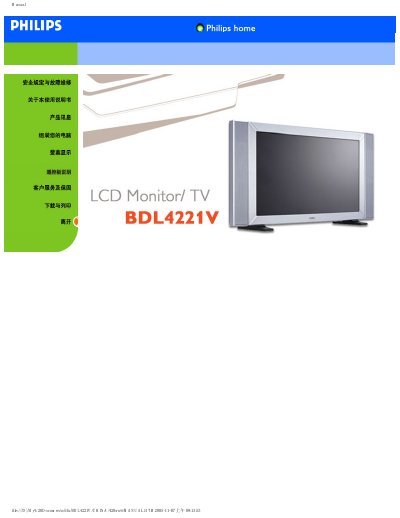
Philips BDL4221V LCD Monitor/TV User Manual
This manual provides safety and troubleshooting guidelines, product information, and warranty contacts for the Philips BDL4221V LCD Monitor/TV. It includes detailed specifications such as supported video resolutions and VESA standards.
The document also lists consumer service centers worldwide, giving users the phone numbers and addresses needed for support and warranty service. This manual is written in Chinese.
Philips BDL4221V specifications
| Display type | TFT LCD |
|---|---|
| Display size | 42 inches |
| Pixel pitch | 0.227 x 0.681 mm |
| Native resolution | 1366 x 768 pixels |
| Effective viewing area | 930.25 x 523.01 mm |
| Display colors | 16.7 million (8-bit interface) |
| PC vertical refresh rate | 56-75 Hz |
| PC horizontal refresh rate | 30-63 kHz |
| Video dot rate | <85 MHz |
| Video input impedance | 75 ohm |
| Sync input impedance | 2.2 kohm |
| Input signal level | 0.7 Vpp |
| Video interface | D-sub, S-Video, TV-RF, SCART, composite/component video, DVI-D |
| Audio input level | 500 mV (PC/SVHS/SCART) |
| Speakers | 10 W stereo (10 W RMS x2) |
| Contrast ratio | 1100:1 (DCR on) |
| Brightness | 500 cd/m2 typical |
| Viewing angle | >89 degrees each direction (C/R>5) |
| Response time | 8 ms typical, 12 ms maximum (G to G) |
| Recommended resolution | 1366 x 768 at 60 Hz |
| Dimensions with stand and speakers | 1272 x 680 x 300 mm |
| Dimensions without stand and speakers | 1052 x 644 x 150 mm |
| Weight | 35 kg (with stand and speakers) |
| Power supply | 100-240 V AC, 50/60 Hz |
| Power consumption | Run <100 W typical; sleep <5 W; off <3 W |
All Philips BDL4221V documents by type
Day-to-day operation, settings and troubleshooting. Start here if the product is already set up.
Questions answered in these manuals
What should I check if there is no image and the power LED is off?
Check that the video cable and power cord are firmly connected, check the power outlet, and make sure AC power behind the monitor/TV is turned on.
What can cause poor focus or a distorted image?
Use Menu > Image Settings > Auto Adjust, adjust phase and clock in the OSD, avoid extending the video cable, restore factory settings, or lower the resolution and increase font size.
What are the Philips consumer service phone numbers for the BDL4221V?
You can call the Hong Kong service at (852) 26199663, the India service at 91-20-712 2048, the Indonesia service at (021)-7940040, and many other regional numbers listed in the manual.
Where can I find the warranty information for the Philips BDL4221V?
Warranty details are available on the Philips warranty web page referenced in the manual: file:///D|/My%20Documents/dfu/BDL4221V/CHINA/warranty/WARCIC.HTM.
Can the display be controlled remotely via RS232?
Yes, the BDL4221V supports RS232 remote control for configuration and operation.
What is the brightness of the Philips BDL4221V LCD?
The display has a brightness of 600 cd/m².