
Key facts
- Brand
- Philips
- Model
- CID3610
- Category
- Vehicle GPS
- Industry
- Automotive
- Documents
- 2
- Languages
- EN
- Last added
- 2012-03-27
Start here
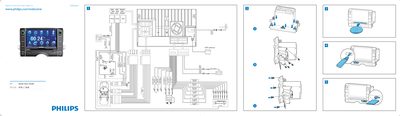
Philips CID3610 Quick Start Guide
This Quick Start Guide introduces the Philips CID3610 in‑car entertainment unit and shows how to install it in the dashboard, connect the wiring, and power the device. It also explains how to select the on‑screen display language and set the date and time.
The guide walks through using the navigation map, listening to FM/AM radio, playing DVDs, CDs, VCDs, and USB/SD media, and pairing a Bluetooth phone for hands‑free calls. Each function is described with step‑by‑step tap instructions.
Philips CID3610 specifications
| Supported disc formats | DVD Video, DVD‑R, DVD‑RW, VCD, Audio CD, CD‑R, CD‑RW |
|---|---|
| Radio bands | FM1, FM2, FM3, AM1, AM2 |
| Bluetooth default password | 0000 |
| OSD language selection | Tap a language with fingertip |
All Philips CID3610 documents by type
Day-to-day operation, settings and troubleshooting. Start here if the product is already set up.
The shortest path to a working setup, usually only a few pages.
Questions answered in these manuals
How do I change the language on the CID3610?
Press the MUTE/VOL+ button to turn on the unit, then tap the desired language with your fingertip on the OSD screen.
How can I register my Philips CID3610?
You can register the product at www.philips.com/welcome to get support.
What media formats does the CID3610 support?
The device supports DVD, VCD and CD discs.