
Key facts
- Brand
- Philips
- Model
- BDP2600
- Category
- Player
- Industry
- Appliances
- Documents
- 3
- Languages
- EN · ZH
- Last added
- 2012-03-26
Start here
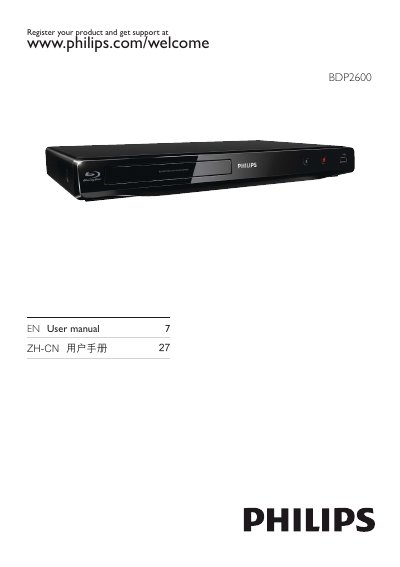
Philips BDP2600 Blu-ray/DVD Player User Manual
This manual explains how to register your Philips BDP2600 player and obtain support, then guides you through connecting the device using HDMI, coaxial, USB and other inputs. It covers basic playback of Blu‑ray, DVD, CD, VCD and supported video formats such as DivX Plus HD and MKV.
The guide also describes menu navigation, audio and subtitle settings, and advanced features like BD‑Live, BonusView and Philips EasyLink. Safety information, warranty details and regulatory notices are included at the end of the document.
Philips BDP2600 specifications
| Maximum video resolution | 1080p |
|---|---|
| Video frame rate | 24 fps |
| Supported audio formats | Dolby TrueHD, DTS‑HD MA, Dolby Digital Plus |
| Power supply | 220‑230 V, 50 Hz |
| Standby power consumption | < 1 W |
| Dimensions (W×H×D) | 420 mm × 90 mm × 303 mm |
| Supported aspect ratios | 21:9, 16:9, 3:1 |
All Philips BDP2600 documents by type
Day-to-day operation, settings and troubleshooting. Start here if the product is already set up.
Questions answered in these manuals
How can I register my Philips BDP2600 player?
You can register the product and get support at www.philips.com/welcome.
What connections does the BDP2600 support?
The player supports HDMI, coaxial and USB connections for audio and video.
How do I register my Philips BDP2600?
You can register the product at www.philips.com/welcome.
How can I control playback on the BDP2600?
During play, press the buttons on the remote as described in the manual to start, pause, fast‑forward, rewind, and navigate menus.
What video resolution does the BDP2600 support?
It supports full‑HD 1080p video playback.
How can I control multiple devices with the BDP2600?
Use the EasyLink feature via HDMI CEC to control all connected HDMI‑CEC devices with one remote.