
Key facts
- Brand
- Philips
- Model
- AZ 1030
- Category
- Other Electronics
- Documents
- 3
- Languages
- EN · ES
- Last added
- 2012-03-27
Start here
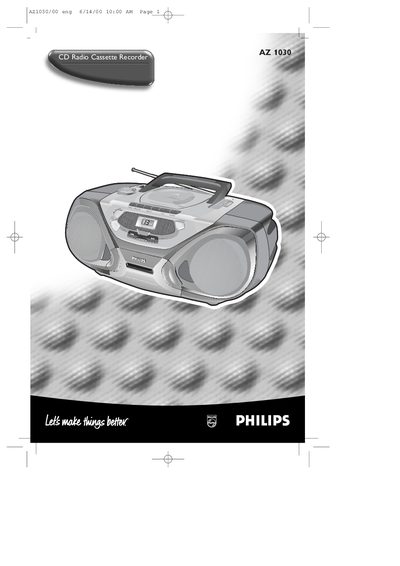
Philips AZ1030 User Manual
This manual covers safety information, plug and fuse replacement, power‑supply setup and basic controls for the AZ1030 CD Radio Cassette Recorder. It explains how to connect the mains plug, select the appropriate voltage, insert batteries, and use the POWER slider to choose CD, tape or radio.
Detailed sections describe CD player functions, cassette recorder operation, radio tuning, headphone socket, bass boost, and various playback modes such as shuffle and repeat. The guide also includes cleaning and maintenance tips for the cassette heads and lens, as well as a troubleshooting table for common problems.
Philips AZ 1030 specifications
| Fuse rating | BS1362 5 Amp |
|---|---|
| Battery types | R20, UM‑1 or D‑cells (alkaline preferred) |
| Power source selector | Local mains voltage selector |
| Headphone socket | 3.5 mm |
| Radio bands | FM, MW |
| Cassette head cleaning method | Cotton swab moistened with alcohol |
Source: Philips AZ1030 User Manual
All Philips AZ 1030 documents by type
Day-to-day operation, settings and troubleshooting. Start here if the product is already set up.
Questions answered in these manuals
How do I replace the mains fuse?
Remove the fuse cover, replace the fuse with a BS1362 5 Amp fuse, and re‑attach the cover.
How do I select CD, tape or radio as the sound source?
Set the POWER slider to the desired source: CD, TAPE, or BAND (radio).
How do I switch from mains power to battery power?
Remove the mains plug from the unit's AC MAINS socket; the recorder will then run on the installed batteries.
How can I switch the recorder to battery power?
Pull the mains plug out of the AC socket; the battery supply will then be activated.