
Key facts
- Brand
- Philips
- Model
- DCTG625
- Category
- Telephone
- Industry
- Electronics
- Documents
- 3
- Languages
- ZH
- Last added
- 2012-03-23
Start here
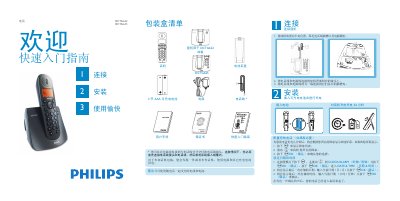
Philips DCTG622/DCTG625 Phone Quick Start Guide
This quick start guide provides step‑by‑step instructions for unpacking, connecting the power and telephone lines, inserting the rechargeable AAA batteries, and powering the DCTG622/DCTG625 handset. It also covers initial configuration such as selecting the country, setting the date and time, and adjusting basic settings.
The guide details everyday functions like dialing, answering, ending calls, managing the phonebook, customizing ringtones, and, for the DCTG625 model, using the built‑in answering‑machine features. A troubleshooting section lists common issues and simple remedies. This manual is written in Chinese.
Philips DCTG625 specifications
| Display type | Enhanced LCD backlight |
|---|---|
| Backlight color | Amber |
| Ringtones | 10 polyphonic tones |
| Phonebook capacity | 100 entries |
| Redial list capacity | 5 entries |
| Call history capacity | 20 entries |
| Battery type | 2 × HR AAA NiMH 550 mAh rechargeable |
| Idle power consumption | ≈ 800 mW |
| Dimensions (H × W × D) | 117 mm × 109 mm × 82 mm |
| Operating temperature range | 0 °C to 35 °C |
| Storage temperature range | -20 °C to 45 °C |
Source: Philips HWDLCD1888(C020)P/TSD DCTG625 Telephone User Manual
All Philips DCTG625 documents by type
Day-to-day operation, settings and troubleshooting. Start here if the product is already set up.
The shortest path to a working setup, usually only a few pages.
Questions answered in these manuals
How do I charge the handset?
Insert the rechargeable battery into the handset and charge it for 24 hours before first use.
What type of battery does the phone use?
It uses two HR AAA nickel‑metal‑hydride rechargeable batteries rated at 550 mAh.
From: Philips HWDLCD1888(C020)P/TSD DCTG625 Telephone User Manual
How long does the backlight stay on after activation?
The backlight remains illuminated for about 15 seconds each time the phone is activated.
From: Philips HWDLCD1888(C020)P/TSD DCTG625 Telephone User Manual
What should I do if there is no dial tone?
Check the wiring, charge the battery, and use the supplied phone line.
How do I set the date and time?
Press the m key, select CLOCK/ALARM, then enter the date and time and confirm with mOK.