
Key facts
- Brand
- Philips
- Model
- Xenium9
- Category
- Cell Phones
- Documents
- 14
- Languages
- ZH
- Last added
- 2012-03-23
Start here
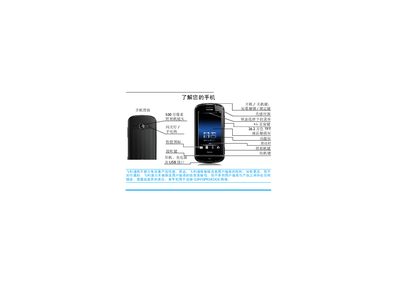
Philips Xenium 9@9 Mobile Phone User Manual
This manual explains how to operate the Philips Xenium 9@9 mobile phone, covering basic functions such as powering on/off, making calls, sending messages, and using the camera and multimedia features. It also details configuration options like screen brightness, sensor settings, and custom shortcut screens.
Additional sections provide instructions for inserting SIM and micro‑SD cards, managing contacts, using Bluetooth, adjusting sound and display settings, and troubleshooting common issues. Warranty and environmental information are included at the end of the document. This manual is written in Chinese.
Philips Xenium9 specifications
| Battery charging time | approximately 4 hours |
|---|---|
| Maximum talk time | up to 8 hours |
| Maximum standby time | up to 30 days |
All Philips Xenium9 documents by type
Day-to-day operation, settings and troubleshooting. Start here if the product is already set up.
- Philips Xenium 9@9 Phone User Manual 66 p
- Philips Xenium 9@9 Mobile Phone User Manual 86 p
- Philips Xenium 9@9 Phone User Manual 86 p
- Philips Xenium X223 Phone User Guide 22 p
- Philips Xenium 9@9 Phone User Guide 35 p
- Philips Xenium 9@9 User Guide 35 p
- Philips Xenium 9@9 User Manual 32 p
- Philips Xenium 9@9 Phone User Manual 31 p
- Philips Xenium 9@9 Phone User Manual 31 p
- Philips Xenium 9@9 User Manual 31 p
- Philips Xenium X26 Phone User Manual 19 p
- Philips Xenium 9@9 Phone User Manual 29 p
- Philips Xenium 9@9 Phone User Manual 34 p
- Philips Xenium9 Phone User Manual 65 p
Questions answered in these manuals
How do I insert the SIM card?
Remove the back cover, then insert the SIM card into the slot, ensuring the cut‑corner aligns correctly.
How long does it take to fully charge the battery?
A full charge takes about four hours when connected to the charger.
How do I turn the phone on or off?
Press and hold the power key at the top of the phone.
How can I unlock the screen?
Press the * key at the top of the phone, or swipe the central circle.
How do I turn the phone on or off?
Long‑press the power button on the left side of the phone.
How can I lock and unlock the screen?
Short‑press the lock key on the left side to lock, and short‑press the unlock key or slide the lock bar to unlock.