
Key facts
- Brand
- Philips
- Model
- DCD322
- Category
- Hi-Fi
- Industry
- Appliances
- Documents
- 3
- Languages
- EN
- Last added
- 2012-03-27
Start here
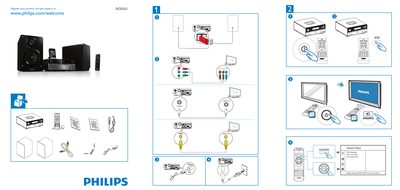
PHILIPS MCD322 user guide ( English )
This guide shows how to register your Philips DCD322 product and obtain support via the Philips website. It also provides the steps for the general setup of the device.
The System Menu section explains the OSD Language settings, DivX VOD code configuration, and DivX deactivation. To exit the menu, simply press the SYSTEM MENU button.
Philips DCD322 specifications
| Supported DVD region | China Mainland |
|---|---|
| Supported media formats | DVD, DivX, VCD, SVCD, iPod/iPhone, USB storage |
| Dynamic Bass Boost | Enabled (DBB) |
| iPod/iPhone compatibility | Supported |
All Philips DCD322 documents by type
Day-to-day operation, settings and troubleshooting. Start here if the product is already set up.
The shortest path to a working setup, usually only a few pages.
Questions answered in these manuals
How do I connect external speakers?
Connect the speakers to the speaker terminals as shown in the “Connecting Speakers” section.
Can I play music from an iPod or iPhone?
Yes, place the iPod/iPhone in the dock and select the iPod/iPhone playback mode.
How do I exit the system menu?
Press the SYSTEM MENU button to exit the menu.
Where can I register my Philips DCD322 for support?
Visit www.philips.com/welcome and register your product.