
Key facts
Start here
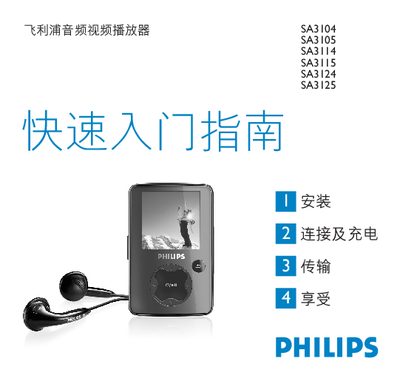
Philips SA3104 SA3105 SA3114 SA3115 SA3124 SA3125 Audio Video Player Quick Start Guide
The guide provides step‑by‑step instructions for installing the player, connecting it to a PC, and charging the built‑in battery. It also covers transferring music, videos and photos using the USB mass‑storage mode or Philips Media Converter.
Additional sections describe how to use the radio, record audio, navigate menus, and perform basic troubleshooting such as resetting the device or updating firmware via the Philips Device Manager. This manual is written in Chinese.
Philips 105S specifications
| Screen size | 15 inch (36 cm) |
|---|---|
| Dot pitch | 0.28 mm |
| Horizontal scanning range | 30 kHz – 61 kHz |
| Vertical scanning range | 50 Hz – 120 Hz |
| Video dot rate | 108 MHz |
| Maximum resolution | 1280 × 1024 |
| Dimensions (with base) | 358 × 370 × 379 mm |
| Weight | 12.0 kg |
All Philips 105S documents by type
Day-to-day operation, settings and troubleshooting. Start here if the product is already set up.
- Philips SA3104/SA3105/SA3114/SA3115/SA3124/SA3125 Audio Player User Manual 29 p
- Philips 105S Color Monitor User Manual 96 p
- Philips SA4100 SA4101 SA4104 SA4105 SA4110 SA4111 SA4114 SA4115 SA4120 SA4121 SA4124 SA4125 audio player user manual 16 p
- Philips GC2225, GC2220, GC2215, GC2130, GC2125, GC2120, GC2115, GC2110, GC2105 Steam Iron User Manual 42 p
- PHILIPS Audio frequency player SA2100 SA2101 SA2104 SA2105 SA2110 SA2111 SA2114 SA2115 SA2120 SA2121 SA2124 SA2125 Manual 20 p
- PHILIPS SA2100 SA2101 SA2104 SA2105 SA2110 SA2111 SA2114 SA2115 SA2120 SA2121 SA2124 SA2125 player Manual 20 p
- Philips SA2100/SA2101/SA2104/SA2105/SA2110/SA2111/SA2114/SA2115/SA2120/SA2121/SA2124/SA2125 Audio Player User Manual 20 p
- PHILIPS SA3104 SA3105 SA3114 SA3115 SA3124 SA3125 Manual 28 p
- Philips SA4100 SA4101 SA4104 SA4105 SA4110 SA4111 SA4114 SA4115 SA4120 SA4121 SA4124 SA4125 Audio Player User Manual 17 p
- PHILIPS SA4100 SA4101 SA4104 SA4105 SA4110 SA4111 SA4114 SA4115 SA4120 SA4121 SA4124 SA4125 Audio frequency player Manual 16 p
- Philips SA1100/SA1102/SA1103/SA1105/SA1106/SA1110/SA1115 Audio Player User Manual 15 p
The shortest path to a working setup, usually only a few pages.
Questions answered in these manuals
How can I update the player’s firmware?
You can manually verify whether your firmware is up to date as described in section 5.1.
From: Philips SA3104/SA3105/SA3114/SA3115/SA3124/SA3125 Audio Player User Manual
What should I do if the device causes radio interference?
Try relocating the receiving antenna, increase separation from the receiver, use a different outlet, or consult a qualified technician.
From: Philips SA3104/SA3105/SA3114/SA3115/SA3124/SA3125 Audio Player User Manual
How long is the warranty for the Philips 105S monitor?
The monitor comes with a three‑year warranty covering free labor and parts.
Can the monitor be used with a VESA DPMS‑compatible graphics card for automatic power saving?
Yes, the monitor automatically reduces power consumption when a DPMS‑compatible display card or software is installed.
What temperature range is safe for operating the player?
The player can be used in temperatures from 0 °C to 35 °C (32 °F to 95 °F).
How do I fill the water tank?
Remove the mains plug, set the steam control to O, open the filling cap, tilt the iron, fill with a measuring cup up to the maximum level, then close the filling cap.