
Key facts
- Brand
- Philips
- Model
- CD155
- Category
- Telephone
- Industry
- Electronics
- Documents
- 2
- Languages
- EN · ZH
- Last added
- 2012-05-02
Start here
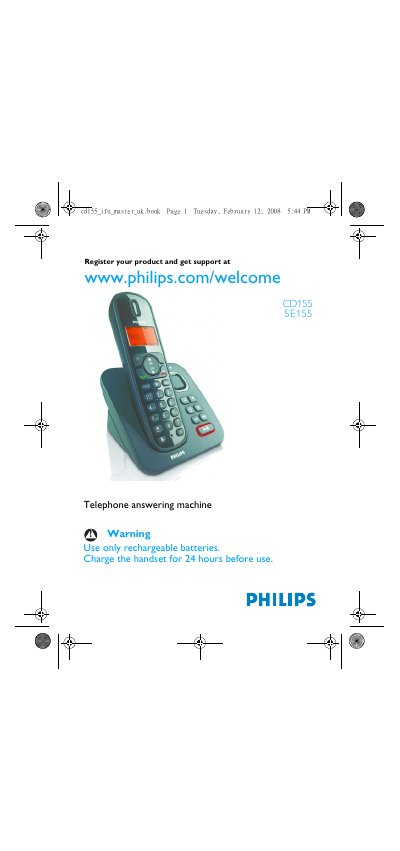
Philips CD155/SE155 Telephone Answering Machine User Manual
This manual guides you through the installation and use of the Philips CD155/SE155 telephone answering machine. It covers safety information, power requirements, and how to register and set up the handset and base station.
Detailed sections explain making and receiving calls, using the phonebook, redial, call log, intercom, paging, and configuring personal settings such as clock, alarm, and answering‑machine options. Technical data and FAQs are provided at the end of the document.
Philips CD155 specifications
| LCD backlight duration | 15 seconds |
|---|---|
| LCD backlight colour | Amber |
| Phonebook capacity | 50 entries |
| Redial list capacity | 5 entries |
| Call log capacity | 10 entries |
| Battery type | 2 x HR AAA NiMH 550 mAh |
| Power consumption (idle) | ≈800 mW |
| Operating temperature range | 0 °C to 35 °C |
| Storage temperature range | -20 °C to 45 °C |
| Relative humidity (operating) | Up to 95 % at 40 °C |
Source: Philips CD155/SE155 Telephone Answering Machine User Manual
All Philips CD155 documents by type
Day-to-day operation, settings and troubleshooting. Start here if the product is already set up.
Questions answered in these manuals
How long does the LCD backlight stay on after activation?
The backlight remains on for 15 seconds after each activation such as an incoming call or key press.
From: Philips CD155/SE155 Telephone Answering Machine User Manual
What type of batteries does the CD155/SE155 use?
It uses two HR AAA NiMH rechargeable batteries rated at 550 mAh.
From: Philips CD155/SE155 Telephone Answering Machine User Manual
How do I answer an incoming call?
Press the button on the handset base marked with a star (*) to answer the call.
How can I delete a voicemail message?
Press the X button on the handset base to delete the current voicemail.