
Key facts
- Brand
- Philips
- Model
- MCD705
- Category
- Hi-Fi
- Industry
- Appliances
- Documents
- 5
- Languages
- ZH · EN
- Last added
- 2012-03-27
Start here
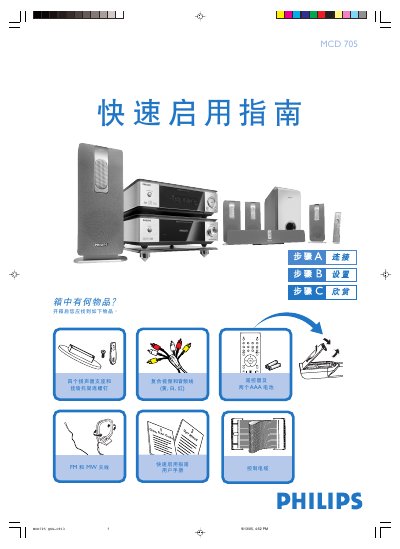
Philips MCD705 DVD Player Quick Start Guide
The guide begins with a list of items included in the box, such as speakers, wall‑mount brackets, a remote control with batteries, FM/MW antennas, and the necessary audio/video cables. It then explains how to connect the DVD player to a TV, speakers, antennas, and power, and provides tips for wall‑mounting the speakers.
Subsequent sections cover setting the clock, using the DVD menu, playing discs, and programming radio stations. Instructions for enabling or disabling the progressive‑scan mode and for using the remote control functions are also included. This manual is written in Chinese.
Philips MCD705 specifications
| Audio channels | 5.1 |
|---|---|
| Built‑in decoders | DTS, Dolby Digital |
| Progressive scan support | Yes (requires compatible TV) |
| Speaker configuration | 5 satellite speakers + 1 sub‑woofer |
All Philips MCD705 documents by type
Day-to-day operation, settings and troubleshooting. Start here if the product is already set up.
The shortest path to a working setup, usually only a few pages.
Questions answered in these manuals
How do I set the clock on the MCD705?
In standby mode, hold the CLOCK button on the remote until the hour digits flash, then use the VOLUME +/- knob or remote buttons to set the hour, press CLOCK again for minutes, set them similarly, and press CLOCK once more to confirm.
How are the speakers connected?
Connect the four speaker drivers to the corresponding speaker terminals and secure the wall‑mount bracket with the supplied screws.
How can I program radio stations?
Select the TUNER source, press and hold the PROG button for more than two seconds, then use the PRESET +/- keys to tune and store stations.
What should I do if a disc becomes dirty?
Clean the disc with a soft cloth, wiping from the center outward in a straight line, and avoid using solvents or abrasive materials.
How do I set up the surround speakers?
Mount the speaker brackets, then connect the speaker cables matching the colour codes as shown in the manual.
How can I enable or disable progressive‑scan mode?
Use the system menu to turn the progressive‑scan function on or manually turn it off from the settings page.