
Key facts
Start here
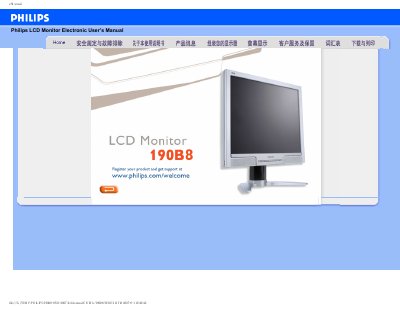
Philips 190B8 LCD Monitor User Manual
This manual covers safety precautions, proper handling, cleaning, and maintenance of the Philips 190B8 19‑inch LCD monitor. It explains how to register the product, connect power and video cables, and adjust display settings such as resolution, refresh rate, and color temperature.
The document also includes a comprehensive FAQ section that addresses common issues like video mode errors, screen flicker, USB connectivity, and VESA mounting. Installation of drivers and printing instructions are provided at the end of the guide. This manual is written in Chinese.
Philips 190B8 specifications
| Screen size | 19" |
|---|---|
| Panel type | TFT LCD |
| Resolution | 1280 x 1024 pixels |
| Pixel pitch | 0.294 x 0.294 mm |
| Vertical refresh rate | 56‑75 Hz |
| Horizontal frequency | 30‑83 kHz |
| Video dot rate | 140 MHz |
| Audio output | 1.5 W × 2 |
| Dimensions (W×H×D) | 422 mm × 403.8 mm × 198.8 mm (incl. pedestal) |
| Weight | 5.36 kg |
| Power supply | 100‑240 VAC, 50/60 Hz |
| Power consumption (typ.) | 36 W |
| Operating temperature | 0 °C to 40 °C |
| Storage temperature | -20 °C to 60 °C |
| Relative humidity | 20 % to 80 % |
| MTBF | 50 000 hours |
Source: PHILIPS 190B8CS/00 190B8CB/69 190B8CB/27 190B8CS/27 190B8CB/75 user manual
All Philips 190B8 documents by type
Disassembly, diagnostics and part numbers, for repair.
Day-to-day operation, settings and troubleshooting. Start here if the product is already set up.
Questions answered in these manuals
What are the power requirements for the monitor?
The monitor operates on 100‑240 VAC, 50/60 Hz and typically consumes 36 W.
From: PHILIPS 190B8CS/00 190B8CB/69 190B8CB/27 190B8CS/27 190B8CB/75 user manual
How can I adjust the screen resolution?
Open the Windows Control Panel, select Display, and set the resolution to the desired value, such as 1280 × 1024 for the 19‑inch model.
How should I clean the LCD surface?
Use a soft, lint‑free cloth; for thorough cleaning, apply isopropyl alcohol. Do not use organic solvents like ethanol, acetone, or ammonia.