
Key facts
- Brand
- Philips
- Model
- FlexCare+ 900+
- Category
- Health Care
- Industry
- Health
- Documents
- 4
- Languages
- EN
- Last added
- 2012-03-26
Start here
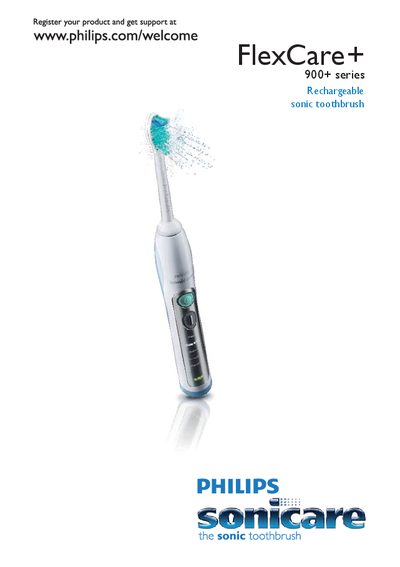
Philips FlexCare+ 900+ Series Sonic Toothbrush User Manual
This manual introduces the Philips FlexCare+ 900+ rechargeable sonic toothbrush, covering registration, safety warnings, and basic handling. It explains the components such as the brush head, colour‑code ring, charger, UV sanitiser base and power buttons.
Detailed sections describe how to attach and replace brush heads, charge the device, use the various brushing modes (Clean, Gum Care, Refresh, Sensitive, Massage, Easy‑start, Smartimer, Quadpacer), and maintain safety around the UV sanitiser. The guide also includes instructions for deactivating or re‑activating features like Easy‑start and Quadpacer.
Philips FlexCare+ 900+ specifications
| Battery charge indicator (LEDs) | 1 LED = 34‑66% charged, 2 LEDs = 67‑94% charged, 3 LEDs = fully charged |
|---|---|
| Full charge time | At least 24 hours |
| UV sanitiser bulb temperature | Hot during and immediately after the sanitising cycle |
Source: Philips FlexCare+ 900+ Series Sonic Toothbrush User Manual
All Philips FlexCare+ 900+ documents by type
Day-to-day operation, settings and troubleshooting. Start here if the product is already set up.
Questions answered in these manuals
How can I tell when the toothbrush is fully charged?
When three solid green LEDs are lit, the toothbrush is fully charged.
From: Philips FlexCare+ 900+ Series Sonic Toothbrush User Manual
How do I deactivate the Easy‑start feature?
Press and hold the power on/off button for 2 seconds; you will hear one beep indicating deactivation.
From: Philips FlexCare+ 900+ Series Sonic Toothbrush User Manual
How long does it take to fully charge the Sonicare toothbrush?
It takes at least 24 hours to fully charge the battery.
From: Philips FlexCare+ 900+ Series Sonicare Rechargeable Toothbrush User Manual
What do the green LEDs on the handle indicate?
One solid green LED means the battery is 34‑66 % charged, two LEDs mean 67‑89 % charged, and three LEDs mean the battery is fully charged.
From: Philips FlexCare+ 900+ Series Sonicare Rechargeable Toothbrush User Manual
How do I deactivate the Easy‑start feature?
Press and hold the on/off button for 5 seconds; you will hear one beep indicating Easy‑start is deactivated.
How long does it take to fully charge the toothbrush?
It takes at least 24 hours to fully charge the battery.