
Key facts
- Brand
- Philips
- Model
- SPZ2500
- Category
- Monitoring Equipment
- Industry
- Electronics
- Documents
- 3
- Languages
- EN · ZH
- Last added
- 2012-03-23
Start here
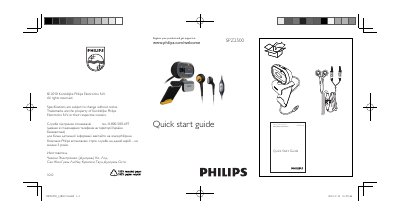
Philips SPZ2500 Security Camera Quick Start Guide
The guide helps you register your Philips SPZ2500 camera and obtain support through the Philips website. It includes the registration URL and a phone support line for Ukrainian customers.
Additional resources such as the full user manual and video‑enhancement software can be downloaded from the Philips support site. The guide also notes that video recording is limited to a maximum resolution of 640 × 480 (VGA).
Philips SPZ2500 specifications
| Maximum video recording resolution | 640 x 480 (VGA) |
|---|---|
| Operating temperature range | 0 °C – 40 °C |
| Relative humidity range | 45 % – 85 % |
All Philips SPZ2500 documents by type
Day-to-day operation, settings and troubleshooting. Start here if the product is already set up.
The shortest path to a working setup, usually only a few pages.
Questions answered in these manuals
How do I register my Philips SPZ2500 camera?
Visit the registration page at www.philips.com/welcomeSPZ2500 to register the product and get support.
Where can I download the user manual and video‑enhancement software?
Both the user manual and video‑enhancement software are available for download from http://www.philips.com/support by searching for SPZ2500.
What should I do if the microphone or headset does not work correctly?
Open the Windows sound settings, select the Philips SPZ2500 webcam or its headset as the default recording device, and apply the changes.
Why does my PC run slowly when using the Philips SPZ2500 camera?
Close unnecessary software applications to free system resources.