
Key facts
- Brand
- Philips
- Model
- BDP9500
- Category
- Player
- Industry
- Appliances
- Documents
- 5
- Languages
- ZH
- Last added
- 2012-03-26
Start here
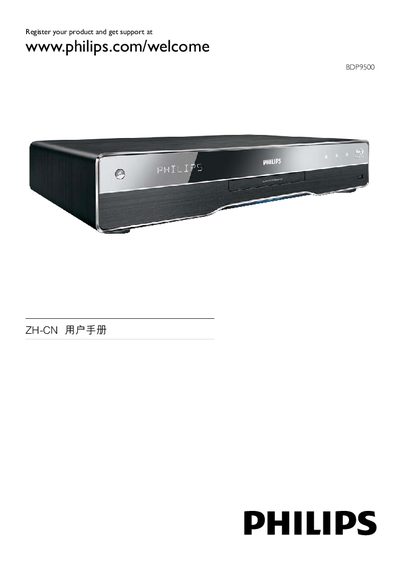
Philips BDP9500 Blu-ray Player User Manual
This manual guides users through registering the BDP9500, connecting HDMI, USB, and LAN cables, and using Philips EasyLink for HDMI‑CEC control. It also lists supported audio and video formats, such as 1080p video, 7.1‑channel audio, and Blu‑ray Live features.
Detailed menu navigation is covered, including the DISC MENU, SETTINGS, AUDIO, VIDEO, and BONUSVIEW functions. Legal notices, warranty information, and open‑source software terms are included at the end of the document. This manual is written in Chinese.
Philips BDP9500 specifications
| Video resolution | 720p / 1080i / 1080p |
|---|---|
| Audio formats | Dolby TrueHD, Dolby Digital Plus, DTS‑HD |
| Digital‑to‑Analog Converter | Burr‑Brown 24‑bit 192 kHz |
| Power supply | 220‑240 V, 50‑60 Hz |
| Power consumption | 25 W |
| USB 2.0 transfer rate | Up to 480 Mbps |
| Analog audio output | 7.1‑channel |
All Philips BDP9500 documents by type
Day-to-day operation, settings and troubleshooting. Start here if the product is already set up.
Questions answered in these manuals
How can I register my Philips BDP9500?
Register the product at www.philips.com/welcome as shown on the first page.
What does Philips EasyLink do?
EasyLink enables HDMI‑CEC control, allowing the BDP9500 to control and be controlled by other HDMI devices.
How can I switch subtitles on the BDP9500?
Use the remote control to move the subtitle display up or down on the screen.
What audio formats does the BDP9500 support?
It supports Dolby TrueHD, Dolby Digital Plus, and DTS‑HD audio formats.
What audio formats does the BDP9500 support?
It supports Dolby TrueHD, Dolby Digital Plus, DTS‑HD Master Audio, and PCM playback.
From: philips 9000 series Blu-ray Disc player BDP9500 Manual
What is EasyLink and how does it work?
EasyLink lets a single remote control all HDMI‑CEC compatible devices, allowing simultaneous operation of playback, standby, and other functions.
From: philips 9000 series Blu-ray Disc player BDP9500 Manual