
Key facts
Start here
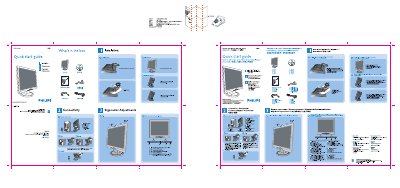
PHILIPS LCD Monitor 190s7user guide ( English )
This Quick Start Guide provides the essential steps to get the Philips 190S7 LCD monitor up and running. It includes a brief overview of the box contents, recommended connection methods, and basic ergonomic settings.
Key sections cover monitor connections (DVI, VGA, power), ergonomic adjustments such as tilting the base, cable management tips, and a quick reference for the control buttons. The guide also notes the optimal display settings of 1280 × 1024 at 60 Hz for best performance.
Philips 190S7 specifications
| Recommended resolution | 1280 × 1024 @ 50 Hz |
|---|---|
| Refresh rate | 60 Hz |
| Operating temperature | 0 °C – 35 °C (41 °F – 95 °F) |
| Operating humidity | 20 % – 80 % RH |
| VESA mounting holes | 4 standard VESA holes |
All Philips 190S7 documents by type
Day-to-day operation, settings and troubleshooting. Start here if the product is already set up.
The shortest path to a working setup, usually only a few pages.
Questions answered in these manuals
What is the recommended refresh rate for this LCD monitor?
The monitor is designed to operate at a refresh rate of 60 Hz.
What resolution should I set for optimal performance?
Set the display to 1280 × 1024 at 60 Hz.
What cables are included in the box?
The box contains the monitor, a quick start guide, an optional DVI cable, a power cord, and a VGA cable.