
Key facts
- Brand
- Philips
- Model
- BDP3100
- Category
- Player
- Industry
- Appliances
- Documents
- 4
- Languages
- EN · ZH
- Last added
- 2012-03-26
Start here
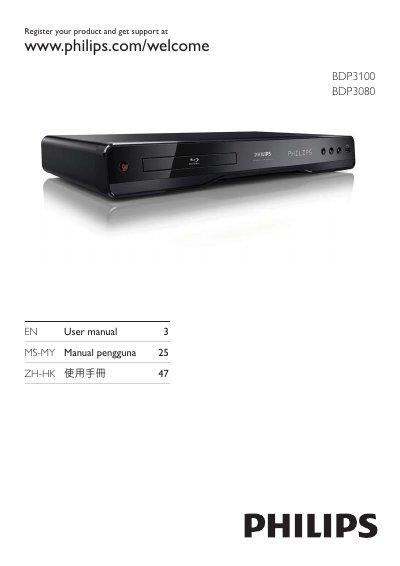
Philips BDP3100 BDP3080 User Manual
This manual covers everything needed to get started with the Philips BDP3100 and BDP3080 Blu‑ray players. It includes safety notices, feature highlights, supported media formats, and detailed steps for connecting video, audio, network, and USB devices. The guide also explains how to use the remote control, navigate menus, and set up network features such as Philips EasyLink and BD‑Live.
Additional sections provide instructions for adjusting video and audio settings, updating software, caring for the device, and troubleshooting common issues. A glossary of terms and a specifications sheet are included at the end of the document.
Philips BDP3100 specifications
| Aspect Ratio | 21:9, 16:9, 4:3 |
|---|---|
| Digital/Analog Converter | 12‑bit, 148 MHz |
| Supported Media | BD, BD‑R/RE 2.0, DVD, DivX, CD, USB flash drive, BD‑ROM |
| Audio Systems | Dolby TrueHD, DTS, Dolby Digital, Dolby Digital Plus, DTS‑HD Master Audio |
| Signal‑to‑Noise Ratio | 105 dB |
| Dynamic Range | 95 dB |
| Power Supply | 110‑240 V, 50‑60 Hz |
| Product Dimensions | 435 mm × 60 mm × 227 mm |
| Weight | 3.00 kg |
| Release Date | 2012‑02‑28 |
All Philips BDP3100 documents by type
Day-to-day operation, settings and troubleshooting. Start here if the product is already set up.
Questions answered in these manuals
How do I enable Philips EasyLink on my TV?
Turn on HDMI‑CEC (EasyLink) in the TV’s settings and on any connected HDMI‑CEC devices; the player will then control them automatically.
What type of HDMI cable should I use for optimal picture quality?
Use a High‑Speed HDMI cable, preferably Category 2, as recommended by Philips for 1080p playback.
How can I register my Philips BDP3100?
Visit www.philips.com/welcome and follow the registration instructions for the BDP3100.
Where can I change the password on the BDP3100?
The password can be changed in the Advanced Setup menu under Change Password.
How can I adjust the subtitle position?
Use the subtitle position adjustment function on the remote control to manually move subtitles up or down for optimal viewing.
What audio formats does the BDP3100 support?
The player supports Dolby TrueHD, DTS, Dolby Digital, Dolby Digital Plus, and DTS‑HD Master Audio.