
Key facts
- Brand
- Philips
- Model
- HD7
- Category
- Health Care
- Documents
- 29
- Languages
- EN · ZH
- Last added
- 2012-06-01
Start here
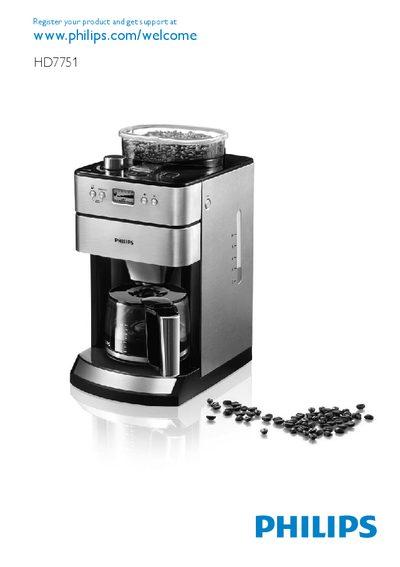
Philips HD7751 Coffee Machine User Guide
This guide introduces the Philips HD7751 coffee machine, describing its components such as the permanent filter, filter basket, water reservoir and hotplate. It includes important safety information, warnings and cautions to ensure safe household use.
The manual explains how to register the product, turn the appliance on, fill the water reservoir, start brewing, and perform first‑time flushing of the grinder. It also covers cleaning, troubleshooting and recommended usage practices.
Philips HD7 specifications
| Maximum cups per brew | 5 cups (HD7810/HD7812), 10 cups (HD7811) |
|---|---|
| Maximum operating altitude | 2200 metres |
| Minimum operating temperature | 10 °C |
| Automatic shut‑off timer | 1 hour |
Source: Philips SENSEO HD7810 HD7811 HD7812 HD7814 HD7816 Coffee Machine User Manual
All Philips HD7 documents by type
Day-to-day operation, settings and troubleshooting. Start here if the product is already set up.
- Philips SENSEO HD7810 HD7811 HD7812 HD7814 HD7816 Coffee Machine User Manual 4 p
- Philips HD7850 SENSEO® Coffee Machine User Manual 30 p
- Philips HD7812, HD7811, HD7810, HD7805 User Manual 9 p
- Philips Senseo HD7810 HD7811 Coffee Machine User Manual 20 p
- Philips HD7215 Coffee Maker User Manual 2 p
- Philips HD 7600/02/04/06 Coffee Maker User Manual 2 p
- PHILIPS HD7444/7440 Manual 2 p
- Philips HD7140 Coffee Maker User Guide 42 p
- Philips HD7502 Coffee Maker User Manual 56 p
- Philips HD7751 Coffee Machine User Guide 162 p
- Philips HD7546 HD7544 Coffee Maker User Manual 48 p
- Philips HD7452/HD7451 Coffee Maker User Manual 68 p
- Philips HD7546 HD7544 Coffee Maker User Manual 48 p
- Philips HD7406/HD7404/HD7402/HD7400 Coffee Maker User Manual 11 p
- Philips HD7466/70 User Manual 2 p
- Philips HD7466 Coffee Maker User Manual 11 p
- Philips HD7466 User Manual 11 p
- Philips HD7502/HD7500 Coffee Maker User Manual 8 p
- Philips HD7448, HD7446 Coffee Maker User Manual 64 p
- Philips HD7567/HD7566/HD7565/HD7564/HD7563/HD7562 User Manual 60 p
- Philips HD7450 Coffee Maker User Manual 7 p
Disassembly, diagnostics and part numbers, for repair.
Ratings, dimensions and ordering codes, for selection and design work.
Questions answered in these manuals
How often should I descale the Philips SENSEO coffee machine?
If you use the machine about twice a day, you should descale it once every three months.
From: Philips SENSEO HD7810 HD7811 HD7812 HD7814 HD7816 Coffee Machine User Manual
Can I use white vinegar to descale the machine?
No, you must use a citric‑acid based descaler; white vinegar is not allowed.
Can the machine be used at altitudes above 2200 metres?
No, the machine will not operate at altitudes higher than 2200 m.
How can I adjust the coffee volume on the Senseo HD7842?
Select the normal cup volume on the display, place a pod holder without a coffee pod, push the one‑cup button, measure the output with a graduated beaker and adjust by pressing the 1‑ or 2‑cup buttons; repeat until the measured volume matches the specification.
How do I reset the Boiler_empty_flag to the production default?
Press and hold the 1‑cup button while plugging in the power cord; the main‑switch LED will blink rapidly. Then reconnect power and press the main switch; the LED should stay continuously on, indicating the flag is set.
How can I adjust the coffee volume on the Senseo HD7850/60?
Fill the boiler, turn the appliance on, select the coffee function, place a cup, press the one‑cup button, measure the output, then press the one‑cup and two‑cup buttons together to enter adjustment mode; each press changes the pump time by about 0.5 s, altering the volume by roughly 3.5 cc per press. Save the new setting by turning the appliance off and on again.