
Key facts
Start here
Philips BDL5530EL Quick Start Guide
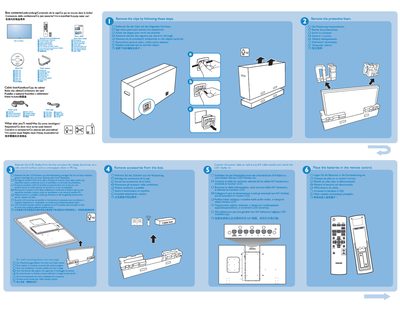
The guide lists the items included in the BDL5530EL package and describes the rear connectors that link the device to a PC or wall outlet. It also provides multilingual labels for the connectors and basic wiring information.
Installation instructions focus on wall mounting the unit. Six 10 mm screws are required (not supplied) and the guide shows portrait and landscape mounting options. A brief quick‑start section explains how to connect the device and begin operation.
Philips BDL5530EL specifications
| Screen size (Active Area) | 54.6" (138.68 cm) |
|---|---|
| Aspect ratio | 16:9 |
| Resolution | 1920 x 1080 (Full HD) |
| Brightness | 400 cd/m² |
| Contrast ratio (typical) | 4000:1 |
| Viewing angle | 178° |
| Speaker output | 12W (L) + 12W (R) RMS |
| Power consumption (max) | 175 W |
All Philips BDL5530EL documents by type
Day-to-day operation, settings and troubleshooting. Start here if the product is already set up.
The shortest path to a working setup, usually only a few pages.
Questions answered in these manuals
What items are included in the BDL5530EL box?
The box contains the BDL5530EL unit, a cable box, and the required mounting hardware (screws are not included).
How many screws are needed for wall mounting the BDL5530EL?
Six 10 mm screws are required for wall mounting; they are not supplied with the product.
What should I check if no picture is displayed?
Make sure the power cord is plugged in, the power switch on the back is turned on, and a video input is properly connected; also verify the display is not in standby mode.
How do I connect the power plug wires correctly?
Connect the green‑yellow wire to the earth terminal, the blue wire to the neutral (N) terminal, and the brown wire to the live (L) terminal of the plug.