
Key facts
Start here
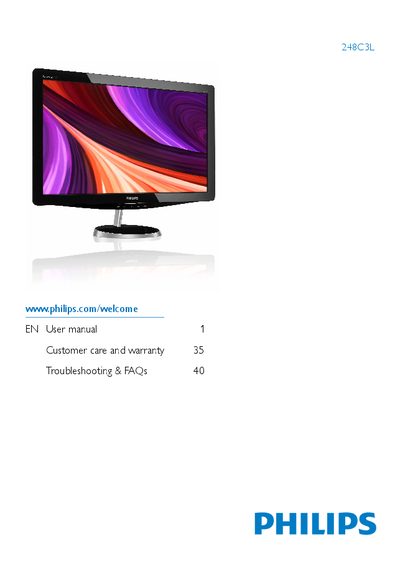
Philips 248C3L Monitor User Manual
This manual covers important safety precautions, disposal guidelines, and step‑by‑step installation of the Philips 248C3L flat‑panel monitor. It explains how to attach the base stand, connect video and power cables, and configure the monitor for first use while highlighting environmental limits such as temperature (0‑40 °C) and humidity (20‑80 % RH).
The guide also describes the On‑Screen Display (OSD) menu, SmartImage, SmartColor, and other image‑optimization features, lists technical specifications (native 1920×1080 @ 60 Hz, HDMI/DVI/VGA inputs, AC/DC adapter model APD‑DA‑36Q12‑AAAA), and provides power‑management tips, warranty information, and troubleshooting FAQs including burn‑in prevention and resolution settings.
Philips 248C3L specifications
| Operating Temperature | 0‑40 °C (32‑95 °F) |
|---|---|
| Operating Humidity | 20‑80 % RH |
| Required AC/DC Adapter Model | APD-DA-36Q12-AAAA / Darfpn-BC36-1201-06 |
| Video Inputs | HDMI, VGA, DVD |
| Audio Output | HDMI audio output |
Source: Philips 248C3L User Manual
All Philips 248C3L documents by type
Day-to-day operation, settings and troubleshooting. Start here if the product is already set up.
Questions answered in these manuals
Can I change the monitor's color settings?
Yes, you can adjust the color settings through the OSD controls.
Can I connect the monitor to a PC, workstation or Mac?
Yes, Philips monitors are fully compatible with standard PCs, Macs and workstations.
Why is my display not showing sharp text, and is displaying jagged characters?
The monitor works best at its native resolution of 1920 × 1080 @ 60 Hz; using this resolution provides the sharpest text.
What causes burn‑in or ghost imaging on the monitor?
Prolonged static images can cause burn‑in; using a moving screensaver and periodic screen refresh helps prevent it.