
Key facts
- Brand
- Philips
- Model
- PD700
- Category
- Other device
- Documents
- 6
- Languages
- EN · ZH
- Last added
- 2012-05-02
Start here
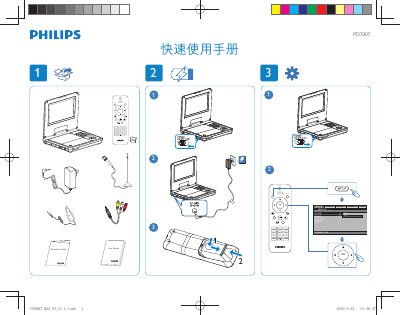
PD7007 Quick Start Guide
The PD7007 quick manual provides an overview of the remote’s button layout and basic functions.
It lists the available controls such as Source, Setup, Mute, Subtitle, Repeat, Audio, Zoom, TV Audio, channel selection, numeric keypad, OK and menu access. This manual is written in Chinese.
All Philips PD700 documents by type
Day-to-day operation, settings and troubleshooting. Start here if the product is already set up.
The shortest path to a working setup, usually only a few pages.
Questions answered in these manuals
What should I check if the player has no power?
Make sure both plugs of the mains cord are properly connected, verify that the AC outlet has power, and check if the built‑in battery is drained.
Where can I register my Philips PD7007 laptop?
You can register the laptop at the Philips support site: www.philips.com/welcome.
What buttons are available on the PD7007 remote?
The remote includes buttons for Source, Setup, Mute, Subtitle, Repeat, Audio, Zoom, TV Audio, channel plus/minus, numeric keys 0‑9, OK and Display Menu.
From: PD7007 Quick Start Guide
How do you access the menu on the PD7007?
Press the OK button followed by the DISPLAY MENU button to open the menu.
From: PD7007 Quick Start Guide