
Key facts
- Brand
- Philips
- Model
- PD703
- Category
- Other device
- Documents
- 2
- Languages
- EN
- Last added
- 2012-05-02
Start here
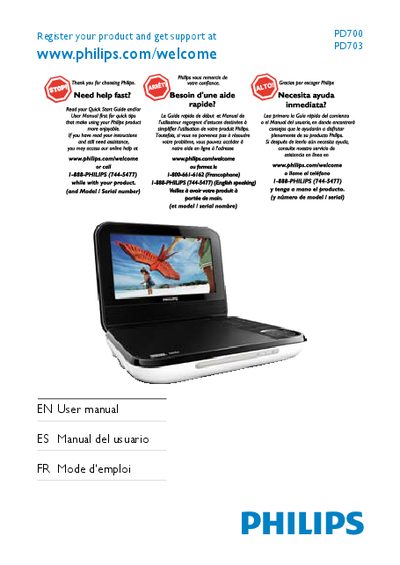
Philips PD700/PD703 Portable DVD Player User Manual
This manual provides important safety instructions, registration information and an overview of the portable DVD player, including what is included in the box and the main unit features.
It guides you through getting started, charging the battery, connecting accessories, operating the player, adjusting settings, and troubleshooting common issues such as no power, no sound, disc problems, and warm operation.
Philips PD703 specifications
| Dimensions | 195 x 154 x 37 mm |
|---|---|
| Weight | 0.675 kg |
| Power supply input | 100‑240 V~ 50/60 Hz |
| Power supply output | DC 9 V 0.8 A |
| Power consumption | 7.2 W |
| Operating temperature range | 0‑45 °C |
| Laser wavelength | 650 nm |
| Video output format | PAL & NTSC |
| Audio output level | 2 V ± 10 % (10 kΩ load) |
| Frequency response | 20 Hz‑20 kHz ± 1 dB |
All Philips PD703 documents by type
Day-to-day operation, settings and troubleshooting. Start here if the product is already set up.
Questions answered in these manuals
What should I check if the player has no power?
Make sure both plugs of the mains cord are properly connected, verify that the AC outlet has power, and check if the built‑in battery is drained.
How do I register my Philips PD7030?
Visit www.philips.com/welcomePD7030 and follow the on‑screen instructions to register the product.
What disc formats does the PD7030 support?
It can play DVD‑Video, Video CD, Audio CD, MP3 CD, DivX, and discs containing JPEG files.