
Key facts
- Brand
- Philips
- Model
- CID2680
- Category
- Automotive supplies
- Industry
- Automotive
- Documents
- 3
- Languages
- EN · ZH
- Last added
- 2012-03-27
Start here
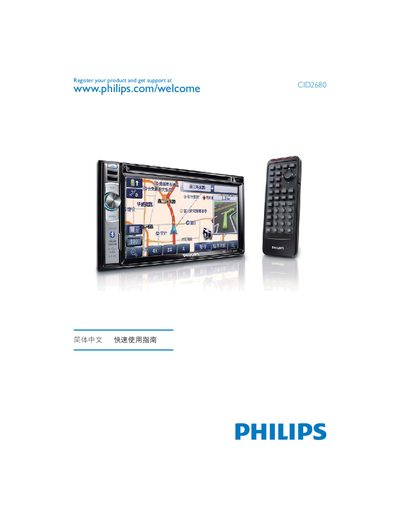
Philips CID2680 Quick Start Guide
This guide helps you register your Philips CID2680 and obtain support. Registration can be done online at the Philips website.
The device includes USB and Bluetooth connectivity options for data transfer and wireless communication. It operates on a +12 V power supply and has a compact size of 116 mm.
Philips CID2680 specifications
| Screen type | LCD TFT |
|---|---|
| Video formats | DVD, DVD±R, DVD±RVY, Video CD, SVCD, DivX, MPEG‑4 |
| Audio formats | CD, CD‑R, CD‑RVY, MP3‑CD, WMA, Dolby Digital |
| USB interface | USB 2.0 Host |
| Memory card support | SD, SDHC |
| Power supply | 12 V |
| Bluetooth | Hands‑free function |
Source: Philips CID2680 User Manual
All Philips CID2680 documents by type
Day-to-day operation, settings and troubleshooting. Start here if the product is already set up.
The shortest path to a working setup, usually only a few pages.
Questions answered in these manuals
How do I register my Philips CID2680?
Register the product online at www.philips.com/welcome CID2680.
What connectivity options are available on the CID2680?
The CID2680 supports both USB and Bluetooth connections.
How do I register my Philips CID2680 product?
Visit the registration page at www.philips.com/welcome CID2680 to register and obtain support.
What media types can the CID2680 play?
The device supports DVD, VCD, CD discs, as well as USB flash drives and SD/SDHC/MMC memory cards.
What video formats does the Philips CID2680 support?
It supports DVD, DVD±R, DVD±RVY, Video CD, SVCD, DivX and MPEG‑4 video formats.
Can I play media from a USB device on the CID2680?
Yes, the unit has a USB 2.0 host port that can read supported video and audio files.