
Key facts
- Brand
- Philips
- Model
- BDP3250
- Category
- Player
- Industry
- Appliances
- Documents
- 2
- Languages
- EN · ZH
- Last added
- 2012-03-26
Start here
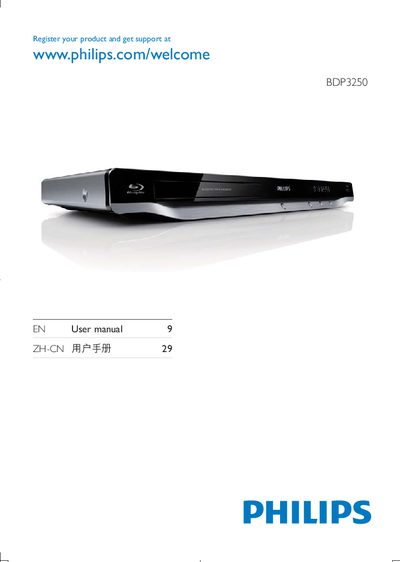
Philips BDP3250 User Manual
User Manual 52 pages · 3 MB · EN
This manual begins with product registration information and a link to Philips support. It then details the various audio and video output options, including HDMI, coaxial, and analog line‑out connections.
Later sections cover the on‑screen menu structure, subtitle settings, and other playback features, helping users operate the BDP3250 efficiently.
Philips BDP3250 specifications
| Aspect Ratio | 21:9, 16:9, 4:3 |
|---|---|
| Resolution | 720p, 1080p |
| Supported Audio Formats | DTS‑HD Master Audio, Dolby TrueHD, Dolby Digital Plus, DTS, Dolby Digital, MP3, PCM, WMA, AAC |
| Supported Playback Formats | BD, BD‑ROM, BD‑R/RE 2.0, DVD, DVD‑Video, DVD+R/RW, DVD‑R/-RW, Video CD, SVCD, DivX, CD, CD‑R/CD‑RW, USB storage, RMVB |
| HDMI Output | 1080p, 24 fps |
| Power Consumption | 18 W (operating), 0.3 W (standby) |
| Weight (including packaging) | 1.65 kg |
| Power Supply | 110‑240 V, 50‑60 Hz |
| DVD Region Code | 6 |
| Wi‑Fi | 802.11g/n |
All Philips BDP3250 documents by type
User Manual 2
Day-to-day operation, settings and troubleshooting. Start here if the product is already set up.
Questions answered in these manuals
How does EasyLink work on the BDP3250?
EasyLink uses HDMI‑CEC to let one remote control multiple HDMI‑CEC‑compatible devices, allowing simultaneous control of power, playback and standby functions.
What connections are available on the rear of the player?
The rear panel provides HDMI output, CVBS (composite video), digital audio output, and a USB 2.0 port for external media.