
Key facts
- Brand
- Philips
- Model
- MCD388
- Category
- Hi-Fi
- Industry
- Appliances
- Documents
- 4
- Languages
- ZH · EN
- Last added
- 2026-11-26
Start here
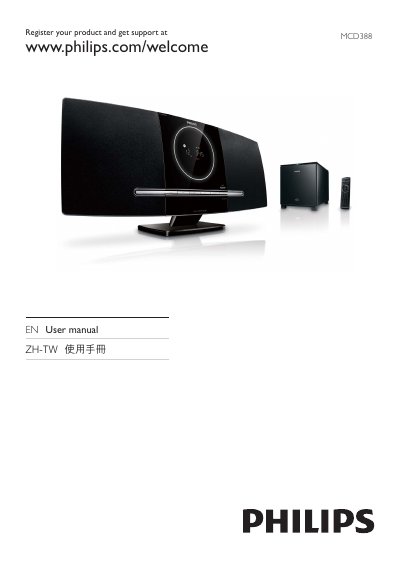
Philips MCD388 DVD Micro Theater User Manual
This manual guides you through installing and using the Philips MCD388 DVD Micro Theater. It covers unpacking, connecting the unit to a TV via HDMI, component, S‑Video or composite cables, and setting up audio, FM radio, and wireless subwoofer.
Detailed sections explain how to navigate menus, play DVDs, CDs, USB/SD/MMC media, adjust picture and sound settings, use the remote control, and troubleshoot common issues such as no power, disc playback problems, and wireless connection failures.
Philips MCD388 specifications
| 总输出功率 | 100W RMS |
|---|---|
| 扬声器驱动 | 3 英寸低音扬声器 |
| 内置扬声器数 | 2 |
| 低音扬声器类型 | 有源 连接 |
| 电源电压 | 110 - 240 伏 |
| 电源频率 | 50/60 赫兹 |
Source: Philips MCD388 Micro Cinema Wall-Mount Wireless Subwoofer
All Philips MCD388 documents by type
Day-to-day operation, settings and troubleshooting. Start here if the product is already set up.
Questions answered in these manuals
该设备支持哪些音频格式?
该设备支持 MP3、WMA-CD、CD(RW) 和其他音频格式。
From: Philips MCD388 Micro Cinema Wall-Mount Wireless Subwoofer
杜比虚拟扬声器如何工作?
杜比虚拟扬声器通过双扬声器系统制造层次丰富的环绕声效果,使用高级空间算法忠实再现 5.1 声道环境。
From: Philips MCD388 Micro Cinema Wall-Mount Wireless Subwoofer
How do I register my Philips MCD388?
Visit www.philips.com/support and follow the registration instructions provided in the manual.
Where can I print a copy of the Philips MCD388 user manual?
You can print the manual from the Philips support website at www.philips.com/support.
Where can I register my Philips MCD388 product?
You can register the product at the Philips support website: www.philips.com/welcome.
How can I set the clock on the unit?
Select the clock setting in the system menu and adjust the time using the remote control.