
Key facts
- Brand
- Philips
- Model
- AJ300D
- Category
- Home Speakers
- Industry
- Electronics
- Documents
- 3
- Languages
- EN · ZH
- Last added
- 2012-05-02
Start here
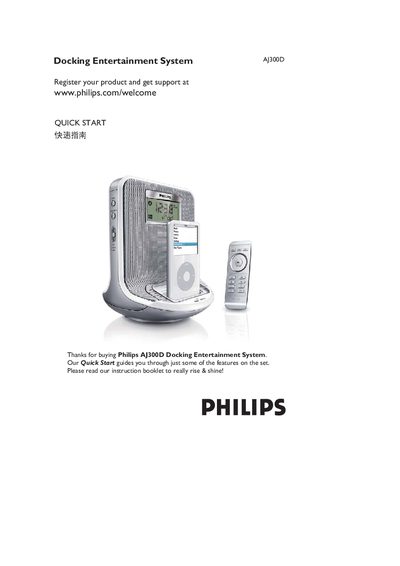
Philips AJ300D Docking Entertainment System Quick Start Guide
The Quick Start guide introduces the Philips AJ300D Docking Entertainment System and provides a brief registration step at www.philips.com/welcome. It highlights the main functions such as docking, tuner, alarm, and brightness control.
Key instructions include setting the time and alarms (TIME SET with ALM1/ALM2), adjusting brightness, using the tuner/AUX inputs, and connecting iPod devices. The guide also lists basic button functions and power settings for everyday use.
All Philips AJ300D documents by type
Day-to-day operation, settings and troubleshooting. Start here if the product is already set up.
The shortest path to a working setup, usually only a few pages.
Questions answered in these manuals
How do I set the clock and date?
Press and hold the TIME SET button until the clock digits flash, then use the 1/2 buttons to adjust hours, minutes, year, month and day, and press TIME SET to confirm each field.
From: Philips AJ300D Docking Entertainment System User Manual
How do I replace the remote‑control battery?
Remove the plastic tab, pull out the battery tray, insert a new CR2025 battery with the correct polarity, and fully re‑insert the tray.
From: Philips AJ300D Docking Entertainment System User Manual
How do I register my Philips AJ300D?
Visit www.philips.com/welcome to register your product and get support.
From: Philips AJ300D Docking Entertainment System Quick Start Guide
How can I set the time and alarms on the AJ300D?
Use the TIME SET function and select ALM1 or ALM2 as needed.
From: Philips AJ300D Docking Entertainment System Quick Start Guide