
Key facts
- Brand
- Philips
- Model
- DVP5140K
- Category
- Other device
- Industry
- Electronics
- Documents
- 2
- Languages
- ZH
- Last added
- 2011-10-04
Start here
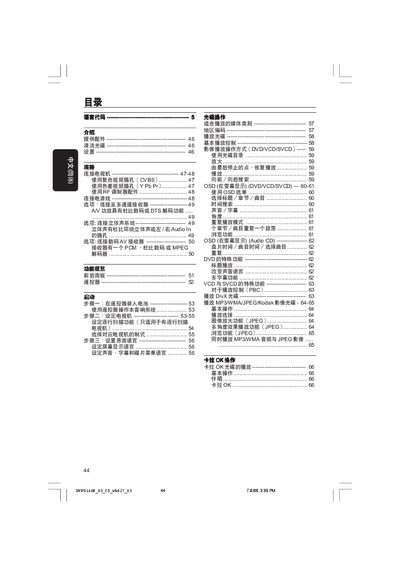
Philips DVP5140K DVD Player User Manual
This manual covers everything needed to get the Philips DVP5140K DVD player up and running. It explains the supplied accessories, how to clean discs, safety precautions, and step‑by‑step setup of the remote, TV connection options (composite, component, RF), and language configuration.
Later sections describe everyday operation such as playing DVDs, VCDs, SVCDs, DivX, MP3/WMA/JPEG discs, using the on‑screen display menu, adjusting audio and video settings, and a detailed fault‑diagnosis guide with solutions for common problems like no power, no picture, or no sound. This manual is written in Chinese.
Philips DVP5140K specifications
| Video DAC | 12‑bit, 108 MHz |
|---|---|
| Audio DAC | 24‑bit, 192 kHz |
| Total Harmonic Distortion | ≤65 dB |
| Frequency Response | 30 Hz – 20 kHz |
| Power Consumption (Standby) | <0.8 W |
| Dimensions (W×H×D) | 435 mm × 37 mm × 235 mm |
All Philips DVP5140K documents by type
Day-to-day operation, settings and troubleshooting. Start here if the product is already set up.
Questions answered in these manuals
What are the power requirements for the DVD player?
It operates on 110‑240 V, 50/60 Hz and consumes less than 10 W during use, with standby power under 0.8 W.
How do I connect the DVD player to a TV using composite video?
Connect the yellow VIDEO OUT plug on the DVD player to the TV’s composite video input (often labeled A/V In, VideoIn, or Baseband) using the supplied cable.