
Key facts
- Brand
- Philips
- Model
- CID3287
- Category
- Automotive supplies
- Industry
- Automotive
- Documents
- 5
- Languages
- ZH · EN
- Last added
- 2012-03-27
Start here
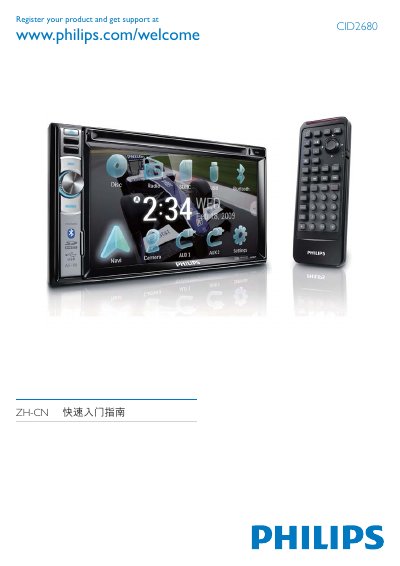
PHILIPS CID3287 user guide(1)
This guide explains the registration process for the Philips CID2680 headphones. Users can register online at www.philips.com/welcome to receive support and warranty information.
It also lists the available color options (Blue, Green, Yellow, Red, White) and describes the touch control panel, front/rear audio outputs, battery connection (+12 V), and clock mode settings (24‑hour). This manual is written in Chinese.
Philips CID3287 specifications
| Operating voltage | 12 V DC |
|---|---|
| Ground type | Negative ground (earth) |
| Bluetooth pairing capacity | Up to 8 devices |
| Supported disc formats | DVD‑video, DVD‑R, DVD‑RW, VCD, Audio CD, CD‑R, CD‑RW |
| DVD region code | China |
| Power‑supply lead colors | Yellow and red |
All Philips CID3287 documents by type
Day-to-day operation, settings and troubleshooting. Start here if the product is already set up.
The shortest path to a working setup, usually only a few pages.
Questions answered in these manuals
How can I set the clock to 24‑hour mode?
Select the Clock Mode 24Hr option in the settings menu.
What media formats are supported by the CID3287?
It supports DVD video, DVD‑R, DVD‑RW, VCD, Audio CD, CD‑R, and CD‑RW.
When was this manual copyrighted?
The manual shows a copyright year of 2010.
How do I register the Philips CID2680 headphones?
Visit www.philips.com/welcome and follow the on‑screen registration steps.
What disc formats can the CID3287 play?
The unit can play DVD‑video, DVD‑R, DVD‑RW, VCD, Audio CD, CD‑R and CD‑RW discs.
How should the unit be mounted during installation?
Use only the supplied mounting hardware for a safe and secure installation.