
Key facts
Start here
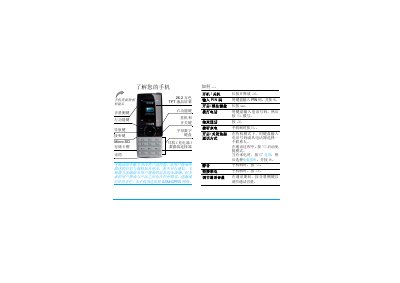
Philips X500 Phone User Guide
This guide explains how to prepare the Philips X500 for first use, including inserting a SIM card, installing the battery, charging, and inserting a micro‑SD card. It also covers safety notes, battery charging time (about 4 hours) and expected talk (up to 16 hours) and standby times (up to 1440 hours).
The manual details navigation of the main menu, calling functions, input methods, entertainment options, browser, media player, and hot‑key configuration. It also provides information on accessories, warranty, and environmental compliance. This manual is written in Chinese.
Philips X500 specifications
| Screen | 26.2 万色 TFT LCD |
|---|---|
| Talk time | up to 16 hours |
| Standby time | up to 1440 hours |
| Micro‑SD capacity | up to 2 GB |
| Network | GSM/GPRS |
Source: Philips X500 Phone User Guide
All Philips X500 documents by type
Day-to-day operation, settings and troubleshooting. Start here if the product is already set up.
Mounting, wiring and first power-up. Read it before the hardware goes in.
Questions answered in these manuals
How do I insert the SIM card?
Remove the back cover, align the cut‑corner of the SIM card to the left‑upper corner, and push the card in with the metal contacts facing down.
How long does it take to fully charge the battery?
A full charge takes about 4 hours, after which the charging indicator becomes steady.
Can the luminaire be used with a dimming device?
No, the luminaire must not be used together with a dimming device, electronic switch, or remote control.
From: Philips MBX500/CBX500 Light Fixtures Installation Guide
Who should install the luminaire?
The luminaire shall be installed by a qualified electrician.
From: Philips MBX500/CBX500 Light Fixtures Installation Guide