
Key facts
- Brand
- Philips
- Model
- 5000 series
- Category
- Audio-Video Decoder
- Industry
- Electronics
- Documents
- 10
- Languages
- EN · ZH
- Last added
- 2012-03-26
Start here
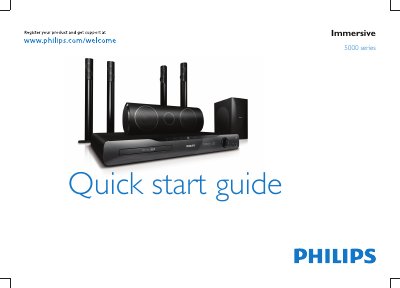
Philips 5000 Series Immersive Quick Start Guide
The guide begins with safety information and a list of items included in the box. It then explains how to stand‑mount the speakers and the recommended placement for front, center, rear and sub‑woofer speakers.
Next, it details the various connections – wireless rear audio, HDMI ARC, digital, coaxial, AUX, LAN and iPod dock – and shows how to switch the system on and start using the home theater. For further help, users are directed to the on‑screen help or Philips support website.
Philips 5000 series specifications
| Power supply | AC 220‑240V ~50Hz |
|---|---|
| HDMI output | HDMI OUT (ARC) |
| Wireless rear audio | Wireless Rear Audio |
| Digital input | Digital IN |
| Coaxial audio input | Coaxial AUDIO IN |
| iPod dock | Dock for iPod |
All Philips 5000 series documents by type
The shortest path to a working setup, usually only a few pages.
- Philips 5000 Series Immersive Quick Start Guide 16 p
- Philips 5000 Series Quick Start Guide 10 p
- PHILIPS 5000 series Quick start guide(1) 12 p
- Philips HTS5553 5000 Series Home Theater Quick Start Guide 12 p
- Philips 5000 Series Quick Start Guide 12 p
- PHILIPS 5000 series Quick start guide(1)(1) 16 p
- PHILIPS Immersive 5000 series Quick start guide 16 p
- Philips 5000 Series SoundBar Quick Start Guide 10 p
- Philips 5000 Series Immersive Home Theater Quick Start Guide 16 p
Day-to-day operation, settings and troubleshooting. Start here if the product is already set up.
Questions answered in these manuals
How do I mount the speakers?
Stand‑mount the speakers as instructed in the guide.
How should I position the speakers?
Place the speakers according to the layout shown for front, center, rear and sub‑woofer positions.
How do I turn on the Philips 5000 Series home theater for the first time?
Press the power button to switch on the unit; the guide includes the power‑on procedure.
How do I register my product?
Visit the registration page at www.philips.com/welcome5000 series to register the HTS5543.
How do I connect the home theater to the TV?
Connect the system to the TV using HDMI ARC, optical, or HDMI inputs as shown in the guide.
How do I mount the speakers?
Use the stand mount to attach the speakers as shown in the guide.
From: Philips HTS5553 5000 Series Home Theater Quick Start Guide