
Key facts
- Brand
- Philips
- Model
- X520
- Category
- Cell Phones
- Industry
- Computers
- Documents
- 4
- Languages
- ZH
- Last added
- 2012-03-23
Start here
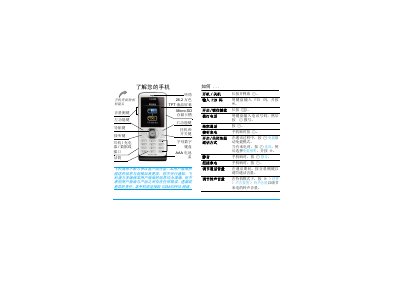
Philips Xenium X520 Phone User Guide
This guide introduces the Xenium X520 mobile phone, covering basic operations such as turning the device on and off, dialing numbers, answering and ending calls, adjusting volume, and using the handset and speaker. It also explains the layout of the keypad, function keys, and navigation controls.
Further sections describe how to insert and remove the SIM card and micro‑SD card, charge the phone with AC power or backup‑power, use built‑in applications like the camera, media player, and browser, and provides troubleshooting, warranty, and environmental information. This manual is written in Chinese.
Philips X520 specifications
| Display | 26.2 万色 TFT LCD |
|---|---|
| Memory Card Slot | Micro SD |
| Network | GSM/GPRS |
All Philips X520 documents by type
Day-to-day operation, settings and troubleshooting. Start here if the product is already set up.
Questions answered in these manuals
How do I turn the phone on or off?
Press and hold the power key, then release.
How do I insert the SIM card?
Turn off the phone, remove the back cover, and slide the SIM card into the slot until it clicks into place.
What is the maximum standby time for the phone?
The phone can stay in standby for up to one month on a single charge.
How long can you talk on a single charge?
You can talk for up to eight hours before the battery needs recharging.
How long does the battery last in standby mode?
The phone can stay in standby for up to one month.
From: PHILIPS CTX520BLK Manual
Which audio formats are supported for playback?
The phone supports AMR, MIDI, MP3, AAC, and WAV audio files.
From: PHILIPS CTX520BLK Manual