
Key facts
Start here
Philips Xenium X600 User Guide
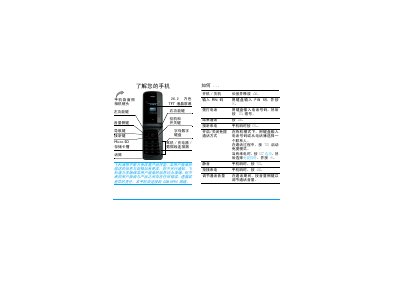
This guide introduces the Xenium X600 mobile phone, describing its hardware layout, keypad, TFT LCD screen and accessories such as the battery, SIM and micro‑SD card. It explains how to insert the SIM, charge the battery, and install a memory card, as well as basic operations like making and receiving calls.
The manual also details the phone’s menu structure, settings, hot‑key configuration, and additional functions such as the camera, music player, browser and Bluetooth. Warranty information, safety notices and environmental compliance are included at the end of the document. This manual is written in Chinese.
Philips X600 specifications
| Peak repetitive reverse voltage | 600 V |
|---|---|
| Typical forward voltage (20 A) | 1.30 V |
| Thermal resistance junction‑to‑heatsink | 5.5 K/W |
| Storage temperature range | -40 °C to 150 °C |
Source: Philips BYV29X-600 Ultrafast Rectifier Diode Datasheet
All Philips X600 documents by type
Ratings, dimensions and ordering codes, for selection and design work.
Day-to-day operation, settings and troubleshooting. Start here if the product is already set up.
Questions answered in these manuals
What is the maximum repetitive reverse voltage of the BYV29X-600?
The device can withstand a peak repetitive reverse voltage of 600 V.
From: Philips BYV29X-600 Ultrafast Rectifier Diode Datasheet
What is the thermal resistance from junction to heatsink?
The junction‑to‑heatsink thermal resistance is 5.5 K/W.
From: Philips BYV29X-600 Ultrafast Rectifier Diode Datasheet
How do I insert the SIM card?
Remove the back cover, then place the SIM card with the metal contacts facing down and push it fully into the slot.
How long does a full battery charge take?
A full charge takes about four hours under normal conditions.
How long does the phone stay in standby on a single charge?
The phone can remain in standby for up to one month.
What is the battery capacity of the CTX600BLK?
It uses a 1100 mAh lithium‑ion battery.