
Key facts
Start here
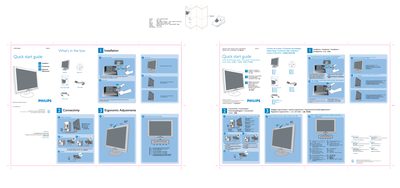
Philips 190CW Monitor Quick Start Guide
This Quick Start Guide provides the essential steps to get the Philips 190CW LCD monitor up and running. It lists the items included in the box, explains how to place the monitor face‑down, attach the base stand and fold the base for storage.
The guide also describes ergonomic adjustments, cable connections (VGA and power), and the recommended display settings. For optimal performance, use the DVI input and set the resolution to 1440 × 900 at 60 Hz.
Philips 190CW specifications
| Power input | 100 ~ 240 VAC, 50/60 Hz |
|---|---|
| Recommended resolution | 1680 × 1050 @ 60 Hz |
| VESA mounting pattern | VESA pattern supported |
All Philips 190CW documents by type
Day-to-day operation, settings and troubleshooting. Start here if the product is already set up.
- Philips 190CW8 (200CW8) LCD Monitor User Guide 106 p
- Philips 190CW7 LCD Monitor User Manual 81 p
- Philips 190CW7 LCD Monitor User Manual 82 p
- Philips 190CW7 LCD Monitor User Manual 82 p
- Philips 190CW8 LCD Monitor User Manual 106 p
- Philips 190CW9 LCD Monitor User Manual 109 p
- Philips 190CW8 LCD Monitor User Manual 107 p
- PHILIPS LCD Monitor190CW7 Manual 84 p
The shortest path to a working setup, usually only a few pages.
Questions answered in these manuals
安装显示器时出现 “Cannot display this video mode”,该怎么办?
将分辨率设置为 1680 × 1050 @ 60 Hz,按 OK 进入 OSD,确认并重新启动电脑即可。
液晶显示器中的刷新率有什么意义?
对 LCD 来说,刷新率并不关键,60 Hz 已能提供稳定、无闪动的图像。
What resolution should I set for optimal performance?
Set the display to 1440 × 900 at 60 Hz using the DVI input.
How do I adjust the monitor's resolution?
Open Windows Control Panel, select Display Properties, and choose the desired resolution from the list.
How should I clean the LCD surface?
Use a soft, slightly damp cloth; for thorough cleaning, use isopropyl alcohol. Avoid organic solvents such as ethanol, acetone, or ammonia.
How can I change the monitor's color temperature?
Use the monitor's menu to select a preset color temperature such as 6500K or 9300K, or define a custom setting.