
Key facts
- Brand
- Philips
- Model
- MX6000i
- Category
- Other Electronics
- Documents
- 2
- Languages
- EN
- Last added
- 2012-05-04
Start here
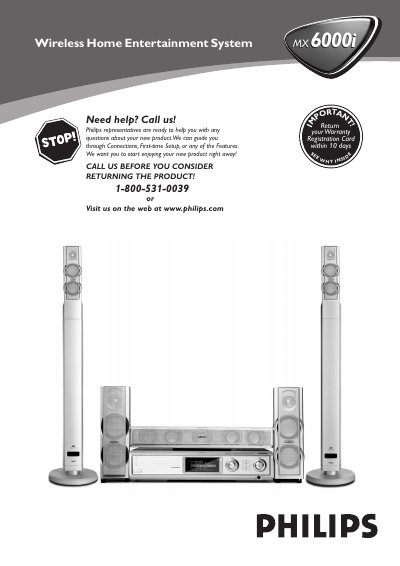
Philips MX6000i Home Entertainment System User Manual
This manual covers important safety instructions, proper installation, and maintenance for the Philips MX6000i wireless home entertainment system. It includes guidance on positioning speakers, connecting antennas, and using the supplied remote control.
Detailed sections explain how to set up network and internet services, manage disc playback, adjust audio and video settings, and troubleshoot common issues. Warranty and registration information are also provided.
Philips MX6000i specifications
| Supported audio format | MP3, MP3pro |
|---|---|
| Supported picture format | JPG (RGB), GIF, BMP |
| Supported video format | MPG1 DivX, MPG2 DivX, MPG4 XviD |
| Bitrate limitation | Media will not stream properly if the bitrate is too high |
Source: Philips Streamium PC Link User Manual for SL300i, SL400i, MX6000i
All Philips MX6000i documents by type
Day-to-day operation, settings and troubleshooting. Start here if the product is already set up.
Questions answered in these manuals
Which media formats are supported by PC Link?
PC Link supports MP3 and MP3pro audio, JPG (RGB), GIF and BMP pictures, and video formats MPG1 DivX, MPG2 DivX and MPG4 XviD; Windows Media and Real formats are not supported.
From: Philips Streamium PC Link User Manual for SL300i, SL400i, MX6000i
How do I start PC Link on my TV?
Turn on the TV, press the PC Link button on the remote, and a blue screen should appear; if not, select AUX or SOURCE on the TV remote.
From: Philips Streamium PC Link User Manual for SL300i, SL400i, MX6000i