
Key facts
- Brand
- Philips
- Model
- CID3695
- Category
- Vehicle GPS
- Industry
- Automotive
- Documents
- 2
- Languages
- EN · ZH
- Last added
- 2012-03-27
Start here
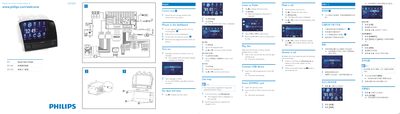
Philips CID3695 Car Audio Quick Start Guide
This Quick Start Guide provides step‑by‑step instructions for powering on the Philips CID3695, selecting language, and configuring basic settings such as clock mode and date/time. It also explains how to use media sources like CD, USB, and SD cards, as well as how to operate the built‑in navigation map and Bluetooth phone features.
Installation notes describe mounting the unit in the dashboard using the supplied screws and rubber cushion, and include safety reminders for connecting the car’s wiring and battery terminals.
All Philips CID3695 documents by type
Day-to-day operation, settings and troubleshooting. Start here if the product is already set up.
The shortest path to a working setup, usually only a few pages.
Questions answered in these manuals
How do I turn on the CID3695?
Press @ on the host car audio to turn on CID3695.
How can I select the clock mode?
Tap [12Hr] or [24Hr] to select the clock mode.