
Key facts
- Brand
- Philips
- Model
- AC4064, AC4062, AC4054, AC4052
- Category
- Air Cleaners Purifiers
- Industry
- Appliances
- Documents
- 3
- Languages
- EN
- Last added
- 2012-03-20
Start here
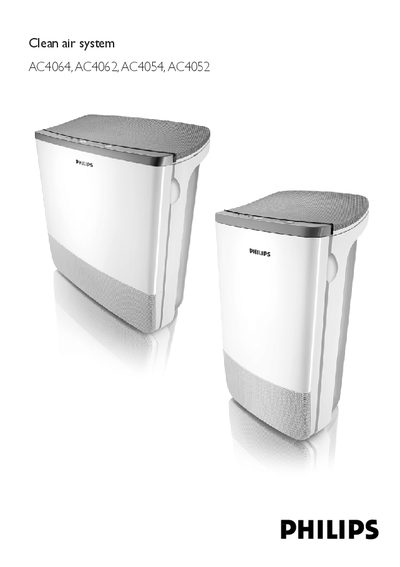
Philips AC4064/AC4062/AC4054/AC4052 Air Purifier User Manual
This manual explains how to install, operate, and maintain the Philips AC4064/AC4062/AC4054/AC4052 air purifier. It includes safety warnings, wiring checks, and guidance on proper placement and filter handling.
Detailed instructions cover the control panel functions, SmartAir automatic air‑quality sensing, BoostPower mode, speed selection, timer settings, and routine cleaning of the appliance and its filters.
Philips AC4064, AC4062, AC4054, AC4052 specifications
| Recommended room size (bedroom models) | 6 m² – 20 m² |
|---|---|
| Recommended room size (living‑room models) | 6 m² – 40 m² |
| Zeolite gas filter lifetime | up to 5 years |
| Boost power duration | 30 minutes |
Source: Philips AC4064, AC4062, AC4054, AC4052 Air Purifier User Manual
All Philips AC4064, AC4062, AC4054, AC4052 documents by type
Day-to-day operation, settings and troubleshooting. Start here if the product is already set up.
Questions answered in these manuals
How do I set the timer on the air purifier?
Press the timer button to set the operating time (1, 4 or 8 hours).
From: Philips AC4064/AC4062/AC4054/AC4052 Air Purifier User Manual
How do I remove the particle filter?
Grab the filter handles on both sides and gently slide the particle filter out of the appliance.
From: Philips AC4064/AC4062/AC4054/AC4052 Air Purifier User Manual
How do I replace the ESP particle filter?
Remove the front cover, pull out the ESP particle filter with two hands, and slide a new filter into the appliance until it clicks.
From: Philips AC4064, AC4062, AC4054, AC4052 Air Purifier User Manual
How do I set the timer function?
Press the timer button, select the desired operating time (1, 4 or 8 hours), and the corresponding timer light will illuminate.
From: Philips AC4064, AC4062, AC4054, AC4052 Air Purifier User Manual
Can I operate the CleanAir System near other electronic devices?
Place the appliance at least 2 m away from devices that emit airborne radio waves, such as TVs, radios and radio‑controlled clocks.
From: Philips CleanAir System AC4064/AC4062/AC4054/AC4052 User Manual