
Key facts
- Brand
- Philips
- Model
- SA3SPK04
- Category
- MP3 Player
- Industry
- Electronics
- Documents
- 2
- Languages
- ZH · EN
- Last added
- 2012-03-27
Start here
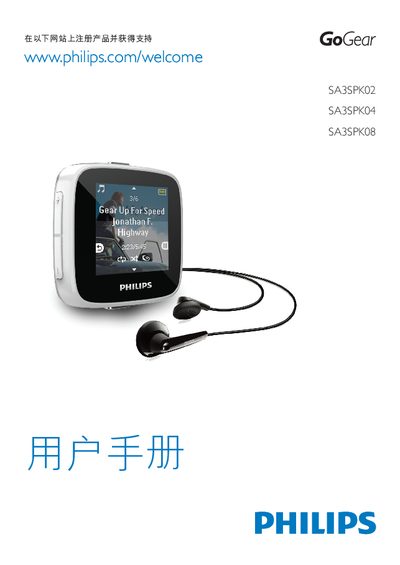
Philips SA3SPK02/SA3SPK04/SA3SPK08 Audio Player Quick Start Guide
The Quick Start Guide explains how to connect the SPARK player to a PC, install the Philips Device Manager, and begin playback. It covers basic operations such as USB connection, FM radio tuning, and navigating the player’s menus.
The document also lists supported audio formats (MP3, WMA, FLAC, APE, WAV) and their bit‑rate ranges, and provides technical specifications such as storage capacity and USB version. This manual is written in Chinese.
Philips SA3SPK04 specifications
| Storage (SA3SPK02) | 2 GB NAND |
|---|---|
| Storage (SA3SPK04) | 4 GB NAND |
| Storage (SA3SPK08) | 8 GB NAND |
| Supported MP3 Bitrate | 8‑320 kbps |
Source: Philips SA3SPK02/SA3SPK04/SA3SPK08 Audio Player Quick Start Guide
All Philips SA3SPK04 documents by type
The shortest path to a working setup, usually only a few pages.
Questions answered in these manuals
How do I install the Philips Device Manager?
Run the installer and follow the on‑screen steps labeled "Install Philips Device Manager" to set up the software on your PC.
From: Philips SA3SPK02/SA3SPK04/SA3SPK08 Audio Player Quick Start Guide
What audio formats can the SPARK player play?
The player supports MP3 (8‑320 kbps), WMA (5‑320 kbps), FLAC (1.1 Mbps), APE (1.3 Mbps), and WAV files.
From: Philips SA3SPK02/SA3SPK04/SA3SPK08 Audio Player Quick Start Guide
How do I turn the device on or off?
Press and hold the power button to switch the player on or off.
How can I lock or unlock the controls?
Press the lock/unlock button to toggle the lock state.