
Key facts
- Brand
- Philips
- Model
- DCTG177
- Category
- Telephone
- Industry
- Electronics
- Documents
- 2
- Languages
- ZH
- Last added
- 2012-03-23
Start here
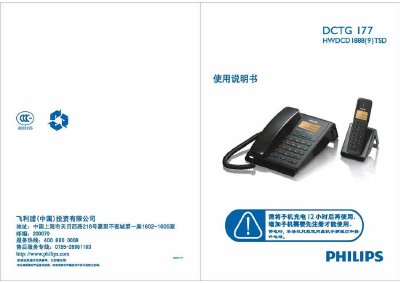
PHILIPS HWDLCD1888(C027)P/TSD DCTG177 telephone Manual
This manual explains how to install, register, and configure the Philips DCTG 177 telephone system, including charging the battery, setting up sub‑phones, and adjusting language, time, and sound settings. Detailed step‑by‑step procedures are provided for registration, deregistration, password changes, and function menu navigation.
The document also lists technical specifications, safety warnings, and a troubleshooting guide that helps resolve common issues such as no dial tone, low battery warnings, and registration errors. This manual is written in Chinese.
Philips DCTG177 specifications
| Atmospheric pressure range | 8‑106 kPa |
|---|---|
| Low‑frequency DTMF tones | 697, 770, 852, 941 Hz |
| Seatphone noise level | 70 dB(A) |
Source: PHILIPS HWDLCD1888(C027)P/TSD DCTG177 telephone Manual
All Philips DCTG177 documents by type
Day-to-day operation, settings and troubleshooting. Start here if the product is already set up.
Questions answered in these manuals
What should I do if there is no dial tone?
Check the wiring and make sure the line is connected.
From: Philips HWDLCD1888(C027)P/TSD DCTG177 Telephone User Guide
How do I answer an incoming call?
When the phone rings, lift the handset on the base unit or press the key on the handset to answer.
From: Philips HWDLCD1888(C027)P/TSD DCTG177 Telephone User Guide
How many sub‑phones can be registered to one base phone?
A single base phone can be configured with up to three sub‑phones.
From: PHILIPS HWDLCD1888(C027)P/TSD DCTG177 telephone Manual
How can the language of the telephone be changed?
Press the menu key, navigate to the language submenu, select Chinese, English, or another language, and save the setting.
From: PHILIPS HWDLCD1888(C027)P/TSD DCTG177 telephone Manual