
Key facts
Start here
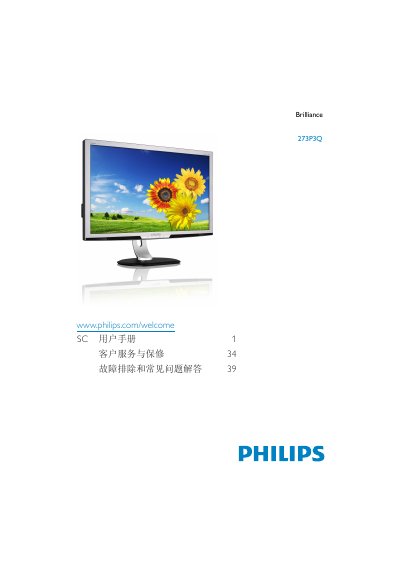
Philips 273P3Q Monitor User Manual
This user manual covers everything needed to install, operate, and maintain the Philips 273P3Q Brilliance 27‑inch monitor. It includes safety measures, step‑by‑step installation, on‑screen display (OSD) navigation, and detailed explanations of SmartImage, SmartContrast, and Power Sensor™ functions.
The guide also lists the monitor’s technical specifications, recommended operating conditions, power consumption figures, and a comprehensive troubleshooting section that addresses common issues such as image burn‑in, resolution settings, and driver installation. This manual is written in Chinese.
Philips 273P3Q specifications
| Panel type | AMVA‑LCD with LED backlight |
|---|---|
| Screen size | 27" (68.6 cm) diagonal |
| Resolution | 1920 × 1080 @ 60 Hz (native) |
| Brightness | 300 cd/m² |
| Contrast ratio (typical) | 5000:1 |
| Response time (typical) | 12 ms |
| Typical power consumption | 35.8 W |
| Maximum power consumption | 54 W |
| Input signals | DVI, VGA, DisplayPort, USB |
All Philips 273P3Q documents by type
Day-to-day operation, settings and troubleshooting. Start here if the product is already set up.
Questions answered in these manuals
How do I connect the monitor to a PC?
Turn off the computer, connect a VGA, DVI, or DisplayPort cable for video, an audio cable if needed, the USB upstream cable, then plug the power cord and turn on both devices.
What resolution should I use for best performance?
Use the native resolution of 1920 × 1080 at 60 Hz for optimal image quality.
Can I connect the monitor to any PC, workstation or Mac?
Yes. All Philips monitors are compatible with standard PCs, Macs and workstations; a Mac may require an adapter.
Does the Philips monitor support Plug‑and‑Play?
Yes, the monitor works with the plug‑and‑play functionality of Windows 7, Vista, XP, NT, macOS and Linux.