
Key facts
Start here
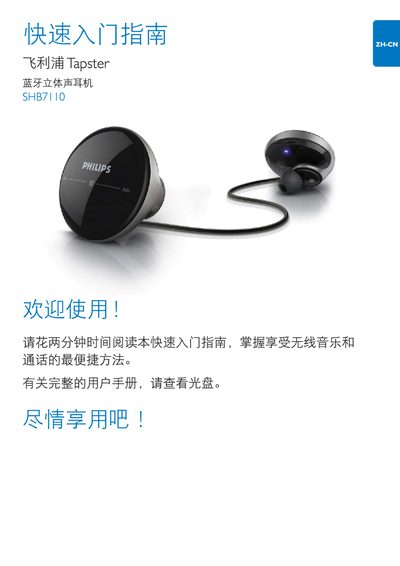
Philips SHB7110 Stereo Earphone Quick Start Guide
This guide provides a brief introduction to the Philips SHB7110 stereo earphones, explaining how to insert the earbuds, power them on, and pair them with a mobile phone. It includes instructions for entering the default PIN "0000" and shows the LED indicator status during pairing.
The document also describes the touch‑control functions on the earbud surface, how to adjust volume and playback by sliding fingers, and offers troubleshooting tips such as checking the touch control response and consulting the Philips support website for full instructions. This manual is written in Chinese.
Philips SHB7110 specifications
| Music playback time | up to 6 hours |
|---|---|
| Call time | up to 7 hours |
| Standby time | up to 150 hours |
| Charging time | 2 hours |
| Battery | 160 mAh Li‑polymer |
| Bluetooth version | 2.1+EDR |
| Operating range | up to 10 m (33 ft) |
| Frequency response | 20 Hz – 20 kHz |
Source: Philips SHB7110 Bluetooth Stereo Earphone User Manual
All Philips SHB7110 documents by type
Day-to-day operation, settings and troubleshooting. Start here if the product is already set up.
The shortest path to a working setup, usually only a few pages.
Questions answered in these manuals
How do I pair the SHB7110 earphones with my phone?
Enter the default PIN "0000" when prompted during Bluetooth pairing.
Where can I find the full user manual for the earphones?
Visit the Philips support site at www.philips.com/support for the complete manual.
Why won't the Bluetooth earphone turn on?
The battery level may be too low; charge the earphone before use.
What should I do if touch controls don't work?
Touch and gesture controls only work when the earphone is inserted in the ear; ensure it is properly placed and listen for the activation sound.