
Key facts
- Brand
- Philips
- Model
- CID3290
- Category
- Automotive supplies
- Industry
- Automotive
- Documents
- 2
- Languages
- ZH
- Last added
- 2012-03-27
Start here
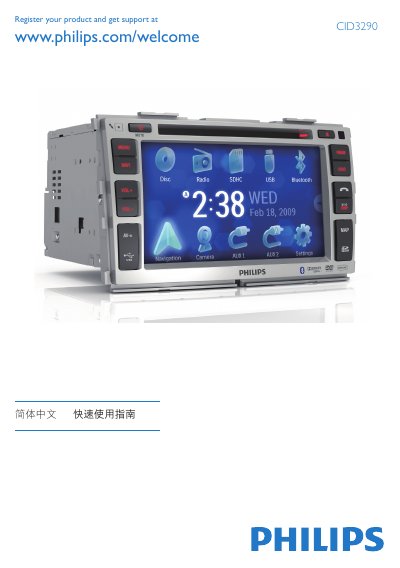
Philips CID3290 Car Audio Quick Start Guide
This guide introduces the Philips CID3290 in‑car audio system, covering installation, initial setup, and everyday functions such as radio, disc, USB, and Bluetooth use. It also explains how to adjust screen settings, set date and time, and use the optional navigation map feature.
Step‑by‑step instructions show how to mount the unit, connect wiring, select language, adjust brightness, pair up to eight Bluetooth devices, make and receive calls, and play media from discs, USB drives, or SD cards. Safety reminders advise against operating the system while driving. This manual is written in Chinese.
Philips CID3290 specifications
| Screen size | 7 inches |
|---|---|
| Resolution | 800 x 480 dots |
| Contrast | 600 |
| Brightness | 400 cd/m2 |
| Bluetooth version | 2.0 |
| Bluetooth power class | Class 2 |
| Bluetooth range | ≈8 m line‑of‑sight |
| FM frequency range | 87.5‑108.0 MHz |
| AM frequency range | 522‑1620 kHz |
| Power output | 50 W × 4 channels |
| Continuous power | 24 W × 4 channels |
| Operating voltage | 12 V DC (11‑16 V) |
| Fuse rating | 15 A |
| Speaker impedance | 4‑8 Ω |
| Weight | 2.2 kg |
Source: Philips CID3290 Car Entertainment System User Manual
All Philips CID3290 documents by type
Day-to-day operation, settings and troubleshooting. Start here if the product is already set up.
The shortest path to a working setup, usually only a few pages.
Questions answered in these manuals
How many Bluetooth devices can be paired with the CID3290?
You can pair up to eight Bluetooth devices with the unit.
How do I adjust the screen brightness?
Press the DISP button, then tap VOL‑ or VOL+ to change brightness, and press DISP again to confirm.
How do I reset the CID3290 system?
Press the RESET button on the unit to perform a reset.
How can I change the display language?
Select a language on the screen; the OSD language changes immediately.