
Key facts
- Brand
- Philips
- Model
- SRP4004
- Category
- Other Electronics
- Industry
- Electronics
- Documents
- 2
- Languages
- EN
- Last added
- 2012-05-09
Start here
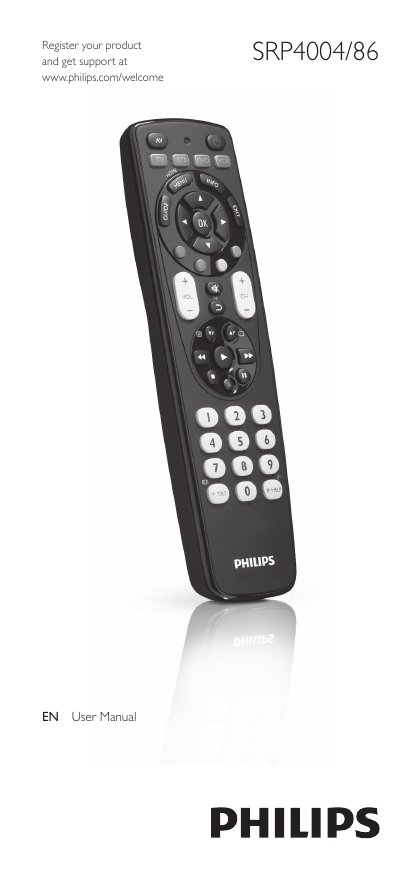
Philips SRP4004/86 Universal Remote Control User Manual
This manual explains how to set up the Philips SRP4004/86 universal remote control, insert batteries, and program it for up to four devices such as TV, DVD player, VCR, and set‑top boxes. It also describes the functions of each button, how to improve or reset button behavior, and how to use the remote in everyday operation.
The later sections cover service and support, including a FAQ with common problems, battery‑life advice, and contact information for further assistance. A comprehensive brand list for code entry is provided in the back of the manual.
Philips SRP4004 specifications
| Battery type | 2 AAA |
|---|---|
| Maximum devices controllable | Up to 4 devices |
| Setup LED | Red LED indicates setup mode |
| Settings retention after battery change | 5 minutes |
Source: Philips SRP4004/86 Universal Remote Control User Manual
All Philips SRP4004 documents by type
Day-to-day operation, settings and troubleshooting. Start here if the product is already set up.
Questions answered in these manuals
How do I insert the batteries?
Insert two AAA batteries, observing the correct polarity (+ and –) in the battery compartment.
From: Philips SRP4004/86 Universal Remote Control User Manual
How many devices can the remote control operate?
The remote can be programmed to control up to four different devices such as TV, DVD player, VCR, or set‑top box.
From: Philips SRP4004/86 Universal Remote Control User Manual