
Key facts
- Brand
- Philips
- Model
- CID2780
- Category
- Automotive supplies
- Industry
- Automotive
- Documents
- 2
- Languages
- ZH · EN
- Last added
- 2012-03-27
Start here
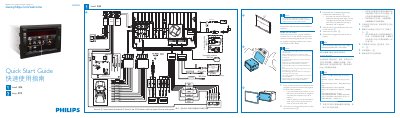
Philips CID2780 Car Audio Quick Start Guide
This guide explains how to install the Philips CID2780 car audio system, register the product, and safely operate the unit. It includes safety cautions, wiring instructions, and mounting details.
Additional sections cover Bluetooth pairing procedures, remote‑control battery replacement, and troubleshooting tips for common issues. This manual is written in Chinese.
Philips CID2780 specifications
| Supported Media Formats | DVD, VCD, BCD, USB, SD/SDHC/MMC, iPod/iPhone, FM, AM |
|---|---|
| Power Supply | 12V |
| GPS Navigation | Built-in |
All Philips CID2780 documents by type
Day-to-day operation, settings and troubleshooting. Start here if the product is already set up.
The shortest path to a working setup, usually only a few pages.
Questions answered in these manuals
How do I pair a Bluetooth device with the CID2780?
Turn on Bluetooth, search for devices, select “CID2780”, and enter the default password “0000”.
What battery is required for the remote control?
The remote control uses a single CR2025 battery with correct polarity.
What media formats does the Philips CID2780 support?
The device supports DVD, VCD, BCD, USB, SD/SDHC/MMC cards, iPod/iPhone, and radio bands FM and AM.
How do I connect my iPod or iPhone?
Connect the device using the USB port, and ensure the 'Made for iPod' or 'Made for iPhone' logo is present for compatibility.