
Key facts
- Brand
- Philips
- Model
- MCD288
- Category
- Hi-Fi
- Industry
- Appliances
- Documents
- 3
- Languages
- EN · ZH
- Last added
- 2012-03-27
Start here
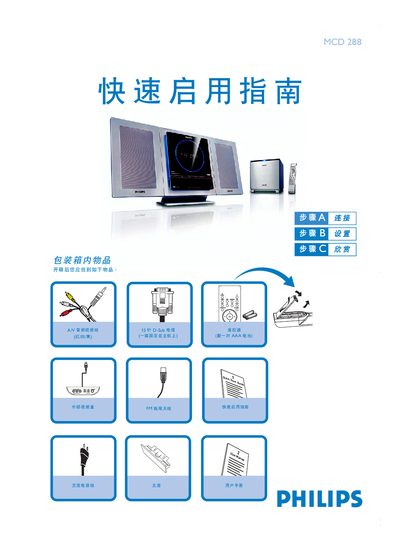
Philips MCD288 Quick Start Guide
The guide begins with a list of items found in the box and shows how to connect the A/V audio‑video cable, speaker cables, FM antenna, power cord and the 15‑pin D‑Sub cable to the unit and to a TV.
It then explains basic operations such as setting the clock, playing a DVD, programming radio stations, and playing audio files from a USB flash drive, including notes on interlaced‑scan TV settings. This manual is written in Chinese.
Philips MCD288 specifications
| Audio output | 2.1‑channel digital amplifier |
|---|---|
| Dolby Digital decoder | Built‑in Dolby Digital decoder with DSC and loudness control |
| DivX support | DivX 3.11, 4.x and 5.x |
| MP3‑CD sampling rates | 32 kHz, 44.1 kHz, 48 kHz |
| MP3‑CD bit rates | 32‑256 kbps |
All Philips MCD288 documents by type
Day-to-day operation, settings and troubleshooting. Start here if the product is already set up.
The shortest path to a working setup, usually only a few pages.
Questions answered in these manuals
How do I connect the speakers?
Connect the speaker cables to the speaker terminals as shown in the installation steps.
What disc formats can the MCD288 play?
It can play DVD, VCD, SVCD, DVD+RW, CD, CD‑R(W) with JPEG images, MP3/WMA discs and DivX discs.
How do I change the voltage setting for the MCD288DVD?
Locate the voltage selector switch on the bottom of the unit; it is preset to 220‑240 V. Switch it to 110‑127 V if your local supply is lower.
How do I set up parental (age) control?
In the system menu select the age‑control option and choose the desired rating level to restrict playback of higher‑rated DVDs.