
Key facts
- Brand
- Philips
- Model
- C600
- Category
- Cell Phones
- Documents
- 3
- Languages
- EN · ZH
- Last added
- 2012-03-12
Start here
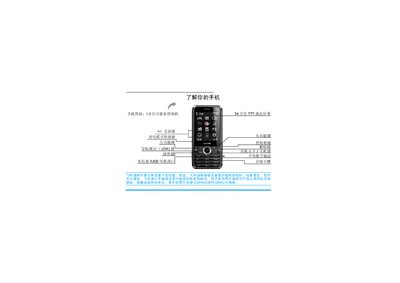
Philips C600 Phone User Manual
This manual introduces the Philips C600 mobile phone, which supports CDMA, GSM and CDMA1X networks and features a 1.3‑megapixel camera, a 260,000‑color TFT display, and dual SIM/UIM slots. It covers first‑time setup, inserting SIM/UIM cards, charging the battery, and configuring power‑saving and keypad lock options.
Detailed sections guide users through making calls, managing contacts, sending messages, using multimedia functions such as the MP3 player and camera, and accessing system settings like screen calibration and Bluetooth. The document also includes troubleshooting tips, warranty information, and environmental compliance details. This manual is written in Chinese.
Philips C600 specifications
| Pmax (W) | 38 |
|---|---|
| Length (mm) | 597 |
| Height (mm) | 566 |
All Philips C600 documents by type
Mounting, wiring and first power-up. Read it before the hardware goes in.
Day-to-day operation, settings and troubleshooting. Start here if the product is already set up.
Questions answered in these manuals
Who should install the Philips RC600B luminaire?
The luminaire shall be installed by a qualified electrician.
Can the luminaire be switched on before installation is complete?
No, do not switch on before complete installation.
How do I lock or unlock the keyboard?
Press and hold the B key to lock the keyboard; to unlock, press L then B.
How do I insert the SIM and UIM cards?
Insert the UIM card into slot 1 and the SIM card into slot 2 as shown in the manual.
How do I turn the phone on or off?
Press and hold the power key ( ) to power the phone on or off.
How do I insert the UIM and SIM cards?
Remove the back cover, insert the UIM card into slot 1 and the SIM card into slot 2, then replace the battery and back cover.