
Key facts
- Brand
- Philips
- Model
- FM01SW20
- Category
- Storage devices
- Industry
- Electronics
- Documents
- 2
- Languages
- EN
- Last added
- 2012-03-23
Start here
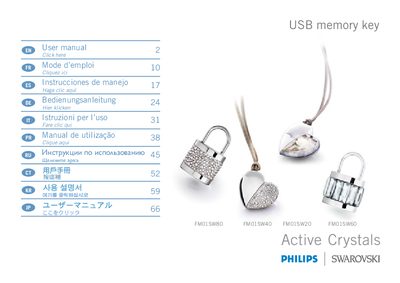
PHILIPS FM01SW80 FM01SW40 FM01SW20 FM01SW60 USB memory key User Guide(1)
The Philips Active Crystals USB memory key is a compact storage device offered in four model numbers. The guide begins with safety information, FCC compliance notes, and handling warnings to prevent fire, electric shock, and interference with radio or TV reception.
Installation instructions cover driver installation for Windows, macOS, and Linux, as well as detailed steps for connecting, using, and safely disconnecting the USB key. The manual also lists supported operating systems, power consumption, and technical specifications such as USB 2.0 compatibility and transfer speeds.
All Philips FM01SW20 documents by type
Day-to-day operation, settings and troubleshooting. Start here if the product is already set up.
Questions answered in these manuals
What should I do if the device causes harmful radio or TV interference?
Reorient or relocate the receiving antenna, increase the separation between the equipment and the receiver, or connect the equipment to a different circuit, and consult a qualified technician if needed.
From: PHILIPS FM01SW80 FM01SW40 FM01SW20 FM01SW60 USB memory key User Guide(1)
How do I safely remove the USB memory key from my computer?
Use the operating system’s Safely Remove Hardware (or Unplug/Eject) icon, confirm the device can be removed, then unplug the USB key.
From: PHILIPS FM01SW80 FM01SW40 FM01SW20 FM01SW60 USB memory key User Guide(1)
Can I connect the USB memory key while the computer is booting?
No. The manual advises disconnecting the USB memory key before starting, restarting, or restoring the computer from sleep mode.
From: PHILIPS FM01SW80 FM01SW40 FM01SW20 FM01SW60 USB memory key User Guide