
Key facts
Start here
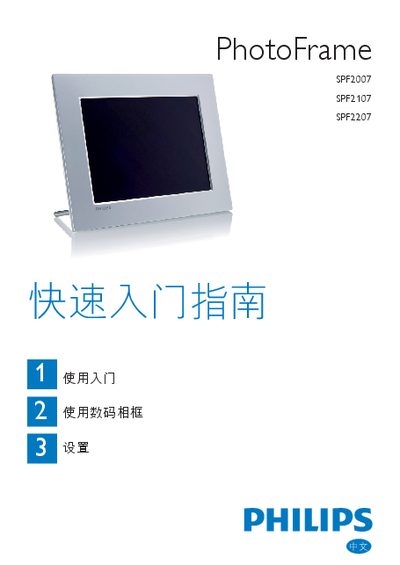
Philips SPF2007 / SPF2107 / SPF2207 Digital Photo Frame Quick Start Guide
The guide explains unpacking, installing the stand, connecting the AC‑DC power adapter, inserting a supported storage device, and powering on the frame. It also details the button functions for navigating menus and starting slideshows.
It then covers basic operation such as displaying JPEG photos, playing M‑JPEG AVI videos and MP3 music, using collage and background‑music modes, adjusting language, time, auto‑sleep settings, and creating event reminders. This manual is written in Chinese.
Philips 107S specifications
| CRT size | 17 inch / 41 cm |
|---|---|
| Dot pitch | 0.27 mm |
| Horizontal scanning range | 30 – 70 kHz |
| Vertical scanning range | 50 – 160 Hz |
| Video dot rate | 108 MHz |
| Video input impedance | 75 Ω |
| Power consumption (active) | < 75 W |
| Dimensions (107S10/107S11/107G10) | 15.7" × 16.1" × 16.1" (399 × 410 × 408 mm) |
All Philips 107S documents by type
Day-to-day operation, settings and troubleshooting. Start here if the product is already set up.
The shortest path to a working setup, usually only a few pages.
Questions answered in these manuals
How should I clean the monitor?
Disconnect the monitor from the power supply, then clean it with a slightly damp cloth; do not use alcohol or ammonia‑based liquids.
What are the physical dimensions of the monitor?
For the 107S10/107S11/107G10 models the size is 15.7" × 16.1" × 16.1" (399 × 410 × 408 mm).
Who is allowed to remove the back panel of the monitor?
Only qualified service personnel may remove the back panel.
Which monitor models can be combined with the multimedia base?
The multimedia base can be used with models 109B4, 107B4, 105B2, 109S4, 107S4, 107F4, and 107T4.
What storage media can I use with the Philips SPF2007/2107/2207 photo frame?
The frame supports Compact Flash, SD, SDHC, MMC, MMC+, xD, Memory Stick, Memory Stick Pro (with adapter) and USB flash drives.
From: Philips SPF2007 / SPF2107 / SPF2207 Digital Photo Frame Quick Start Guide
What screen resolutions does the Philips 107S71 support?
It supports native XGA 1024 × 768 at 85 Hz, a maximum of 1280 × 1024 at 60 Hz, and several lower resolutions such as 640 × 480 and 800 × 600.