
Key facts
- Brand
- Philips
- Model
- MCM1055B
- Category
- Hi-Fi
- Industry
- Appliances
- Documents
- 2
- Languages
- EN
- Last added
- 2012-03-27
Start here
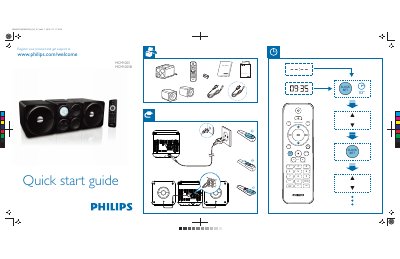
Philips MCM1055B Quick Start Guide
The guide introduces the Philips MCM1055B portable audio player and provides a brief registration link for product support. It lists the main control functions such as preset/album programming, sleep timer, clock setting, and volume control.
The guide also shows how to select audio sources – MP3, CD, FM radio, and USB – and explains the display symbols for each mode. A short specifications note reminds users that details may change without notice.
Philips MCM1055B specifications
| AC Power Input | 110‑240 V~, 50/60 Hz |
|---|---|
| Power Consumption (Operation) | 20 W |
| Power Consumption (Eco Standby) | <0.5 W |
| Dimensions (Main Unit) | 140 × 143 × 210 mm |
| Dimensions (Speaker Box) | 140 × 143 × 198 mm |
| Weight (Main Unit) | 0.91 kg |
| Weight (Speaker Box) | 0.72 kg (each) |
| Frequency Response | 40 Hz – 20 kHz (±3 dB) |
| Signal‑to‑Noise Ratio | > 72 dB |
| Speaker Impedance | 4 Ω |
Source: PHILIPS MCM1055 MCM1055B Manual
All Philips MCM1055B documents by type
The shortest path to a working setup, usually only a few pages.
Day-to-day operation, settings and troubleshooting. Start here if the product is already set up.
Questions answered in these manuals
How do I install batteries in the remote control?
Open the battery compartment, insert two AAA batteries with the correct polarity (+/‑) as indicated, and close the compartment.
How do I set the sleep timer?
Press the SLEEP/TIMER button to activate the sleep timer function.
How do I switch between MP3, CD, FM, and USB sources?
Use the MP3 LINK, CD, FM, and USB buttons to select the desired audio source.