
Key facts
- Brand
- Philips
- Model
- 150S7
- Category
- Monitor
- Industry
- Electronics
- Documents
- 2
- Languages
- EN · ZH
- Last added
- 2012-03-23
Start here
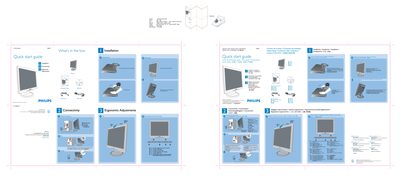
Philips 150S7 LCD Monitor Quick Start Guide
This guide provides step‑by‑step instructions for setting up the Philips 150S7 LCD monitor. It starts with unpacking the box, unfolding the base, and adjusting ergonomic settings such as tilt and height.
The document also details cable management, VGA connection, and the optimal display resolution of 1024 × 768 @ 60 Hz. Online support links and contact information are included for further assistance.
Philips 150S7 specifications
| Display size | 15‑inch diagonal |
|---|---|
| Panel type | TFT LCD |
| Resolution | 1024 × 768 pixels |
| Pixel pitch | 0.297 × 0.297 mm |
| Vertical refresh rate | 60 Hz |
All Philips 150S7 documents by type
The shortest path to a working setup, usually only a few pages.
Day-to-day operation, settings and troubleshooting. Start here if the product is already set up.
Questions answered in these manuals
How do I unfold the base of the monitor?
Open the base by following the illustrated steps in the quick start guide.
What display resolution should I use for best performance?
Set the monitor to 1024 × 768 at 60 Hz.
What should I do if the monitor shows “Cannot display this video mode”?
Set the computer’s display resolution to 1024 × 768 at 60 Hz, then reconnect the Philips monitor and power it on.
Can the Philips LCD monitor be wall‑mounted?
Yes, the monitor has four standard VESA mounting holes on the back for attaching to VESA‑compatible arms or brackets.