
Key facts
- Brand
- Philips
- Model
- CID3292
- Category
- Automotive supplies
- Industry
- Automotive
- Documents
- 2
- Languages
- ZH
- Last added
- 2012-03-27
Start here
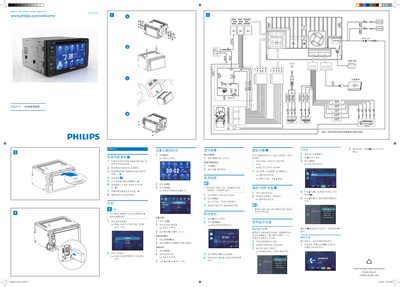
Philips CID3292 Quick Start Guide
This guide shows how to install the Philips CID3292 unit in a vehicle, connect the power, mount the device on the dashboard, and secure it with screws. It also explains how to set the date, time, and clock mode using the on‑screen menus.
The manual describes basic functions such as playing Audio CD, CD‑R, CD‑RW, DVD, DVD‑R, DVD‑RW discs, using a USB storage device, navigating with the built‑in map, listening to FM/AM radio, and pairing up to eight Bluetooth devices for phone calls and audio streaming. This manual is written in Chinese.
All Philips CID3292 documents by type
Day-to-day operation, settings and troubleshooting. Start here if the product is already set up.
The shortest path to a working setup, usually only a few pages.
Questions answered in these manuals
How do I register the Philips CID3292 product?
Register your product online at www.philips.com/welcome CID3292.
What is the document order number for this manual?
The document order number is CID3292_00_UM_V2.0.